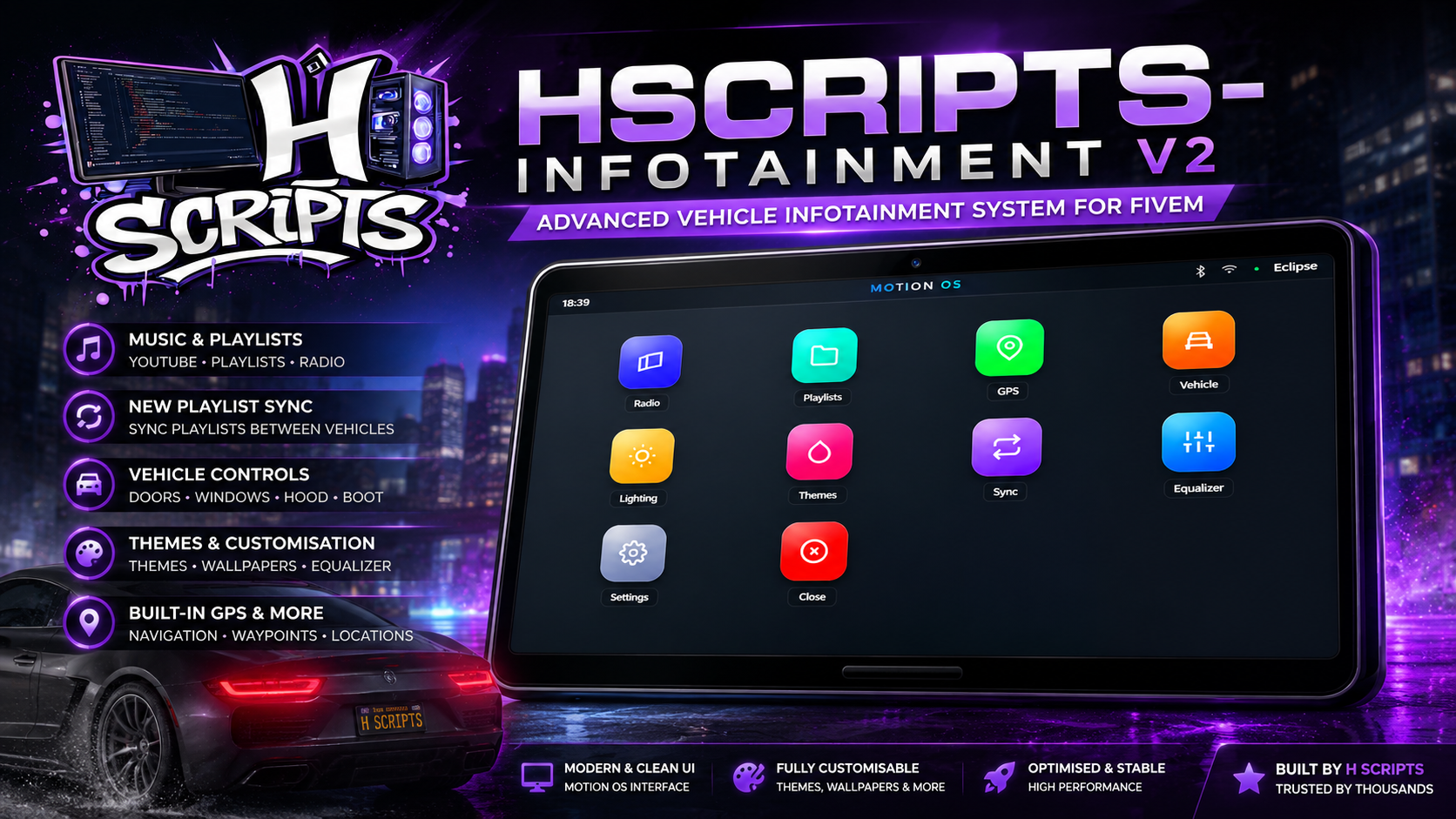
🚗 H Scripts – Advanced Infotainment System for FiveM
Bring your vehicles to life with a modern, fully interactive infotainment system.
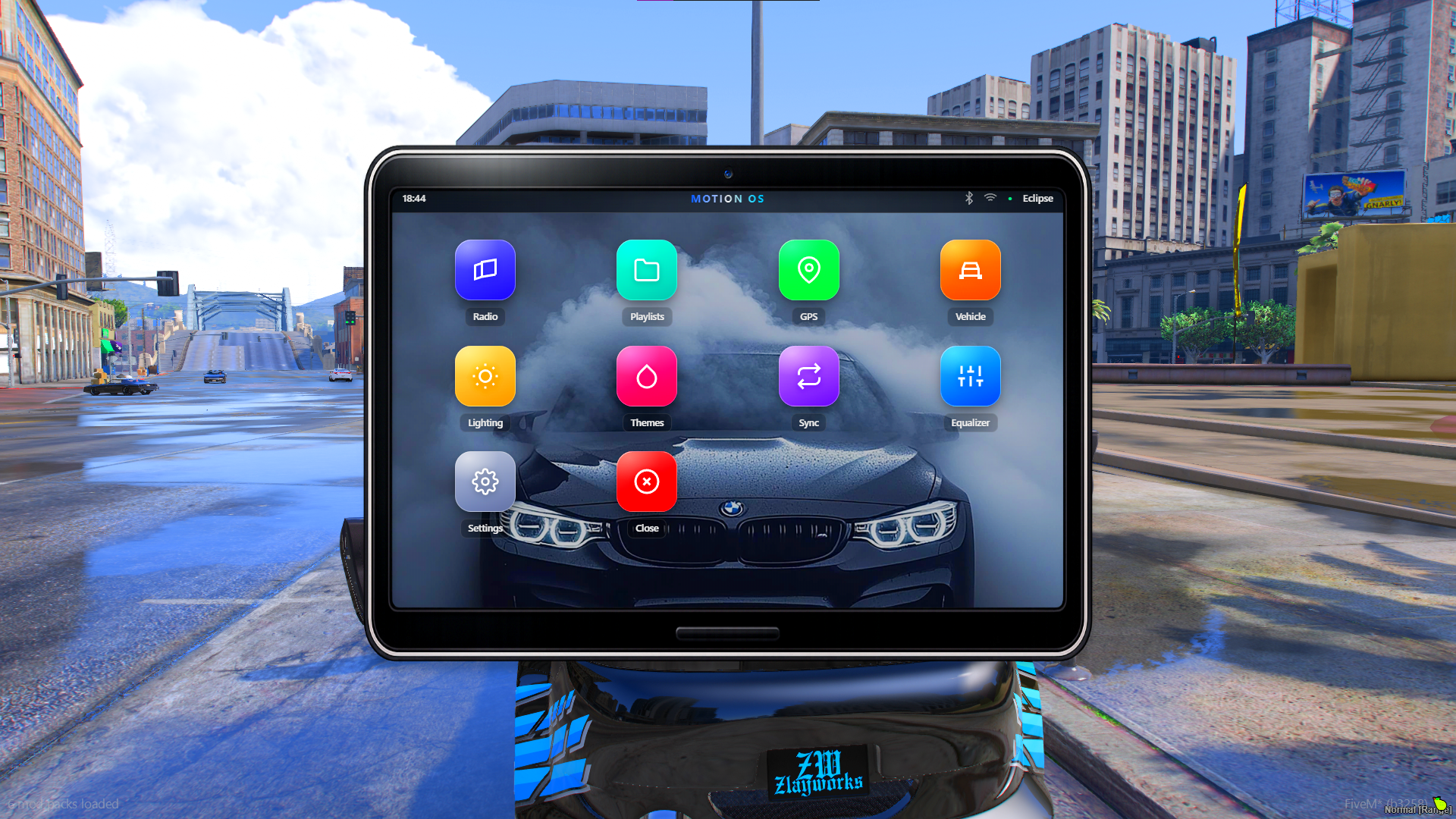
H Scripts Infotainment brings a premium Motion OS-inspired interface directly into your vehicles, combining music, playlists, navigation, vehicle controls, lighting, themes and much more into one polished and immersive system.
Built with a strong focus on modern UI/UX, performance and customisation, it is designed to feel like a genuine high-end vehicle infotainment system rather than a basic FiveM menu.
🌎 Framework Support
Works with:
QBox
QBCore
ESX
Standalone
🖼️ In-Game Preview
See H Scripts Infotainment in action.
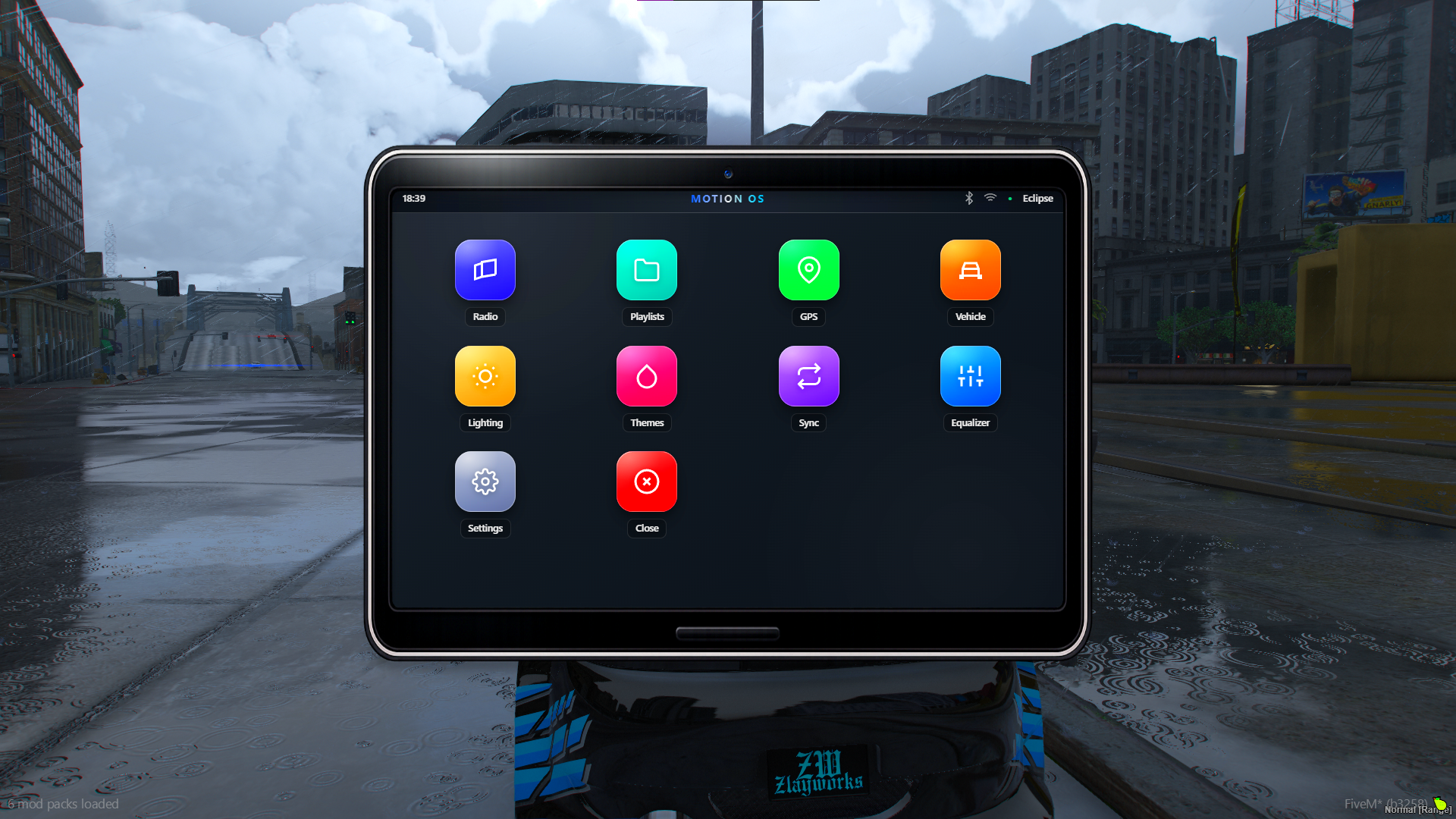
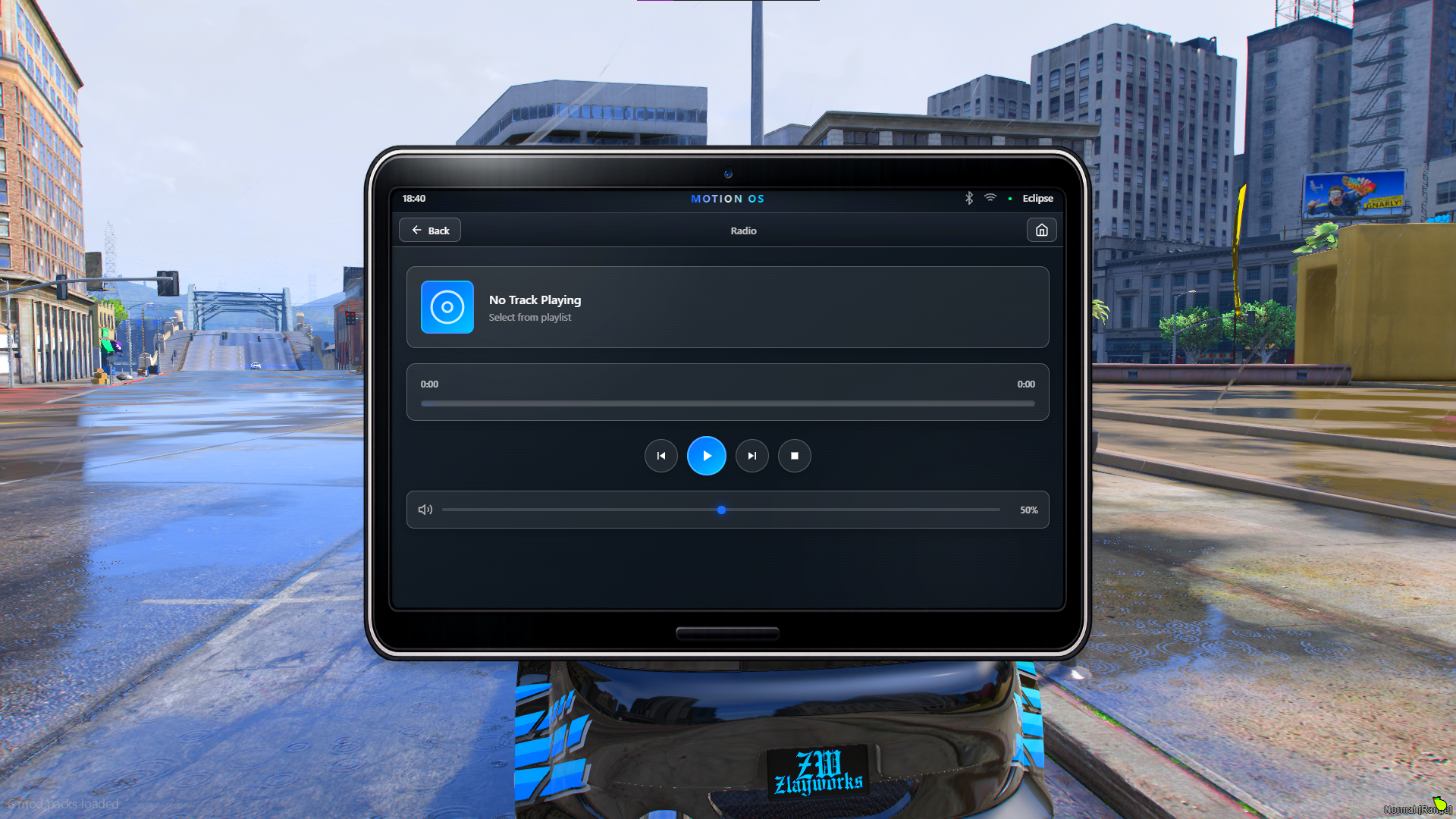
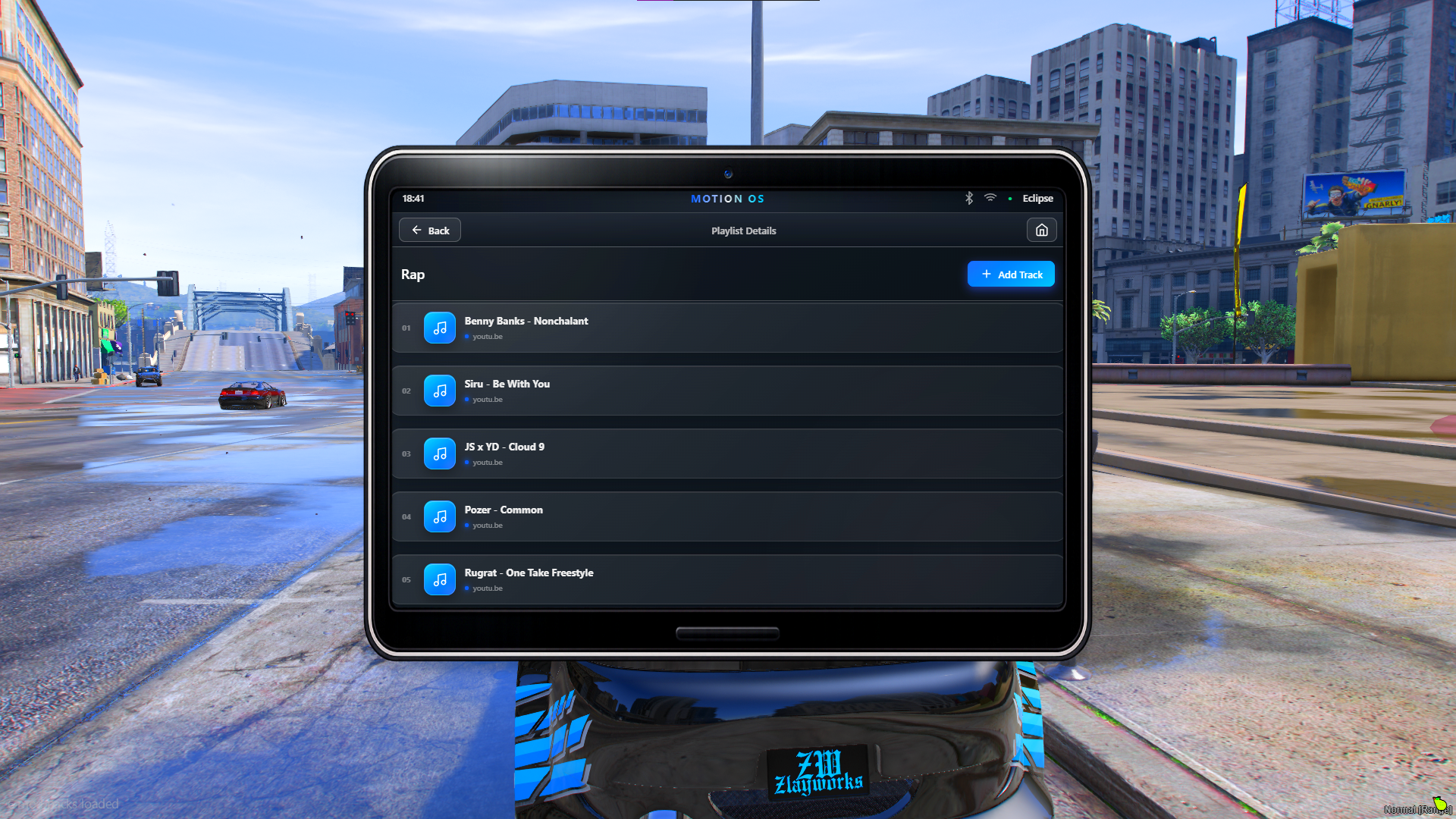
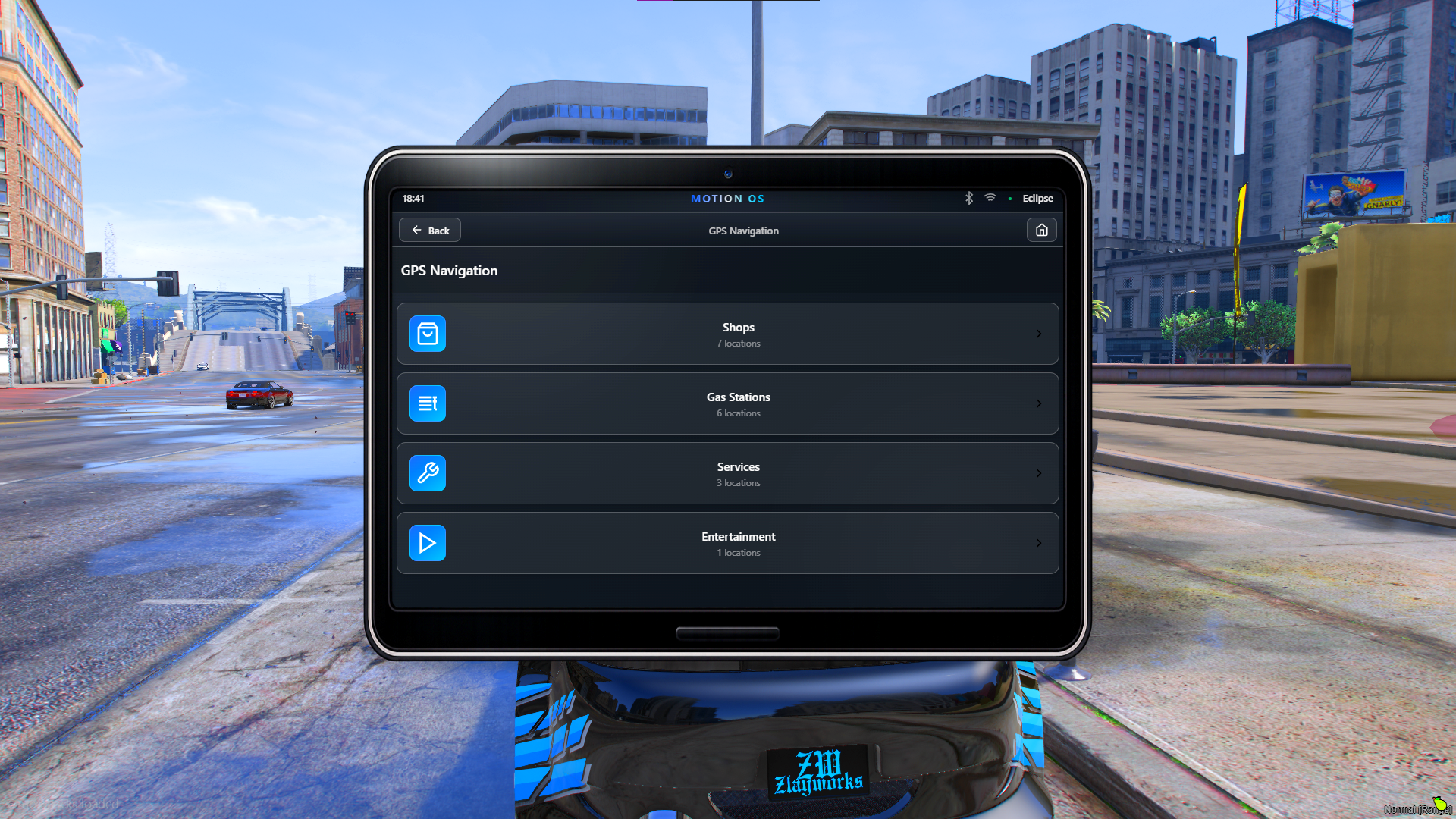
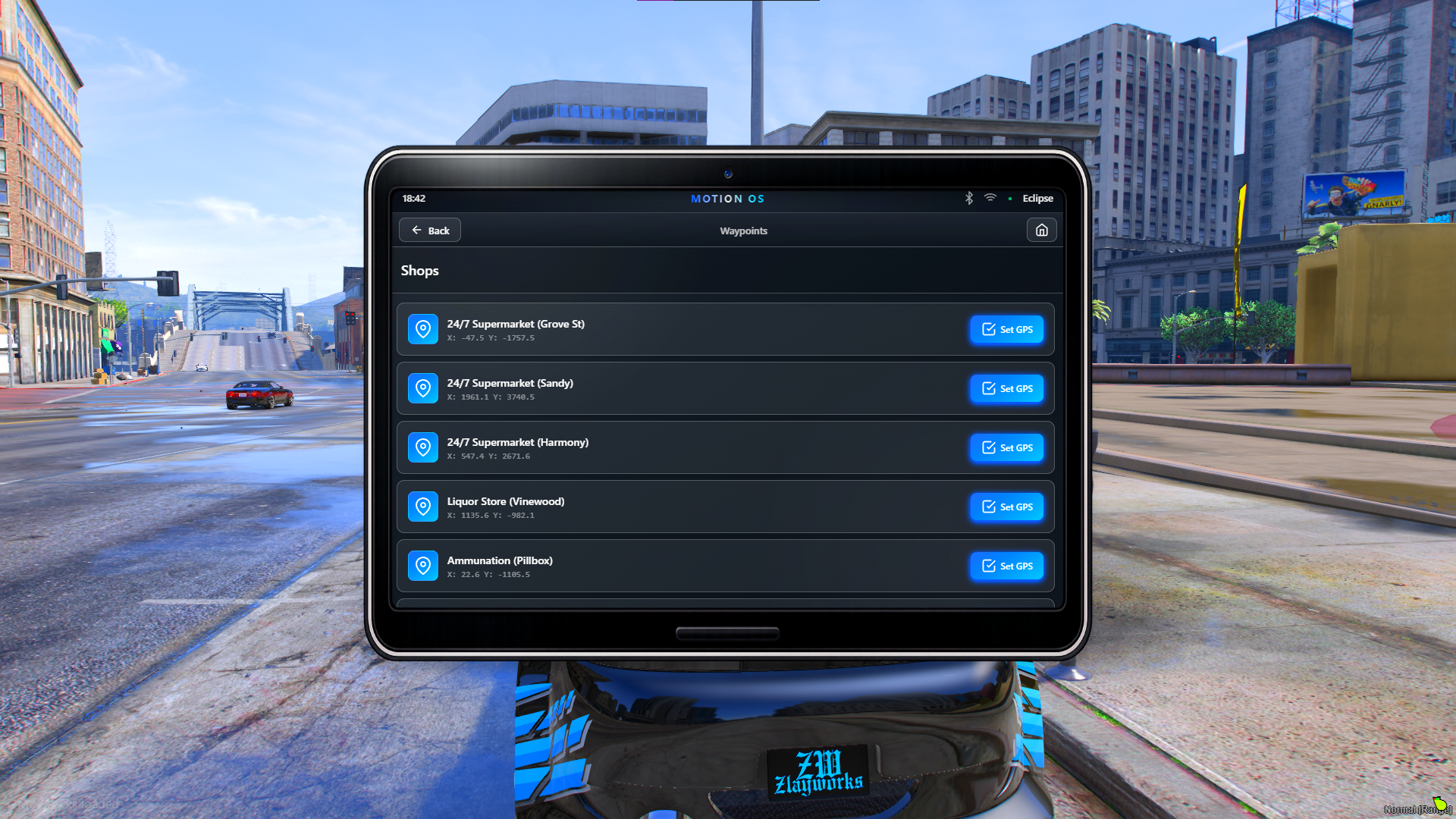
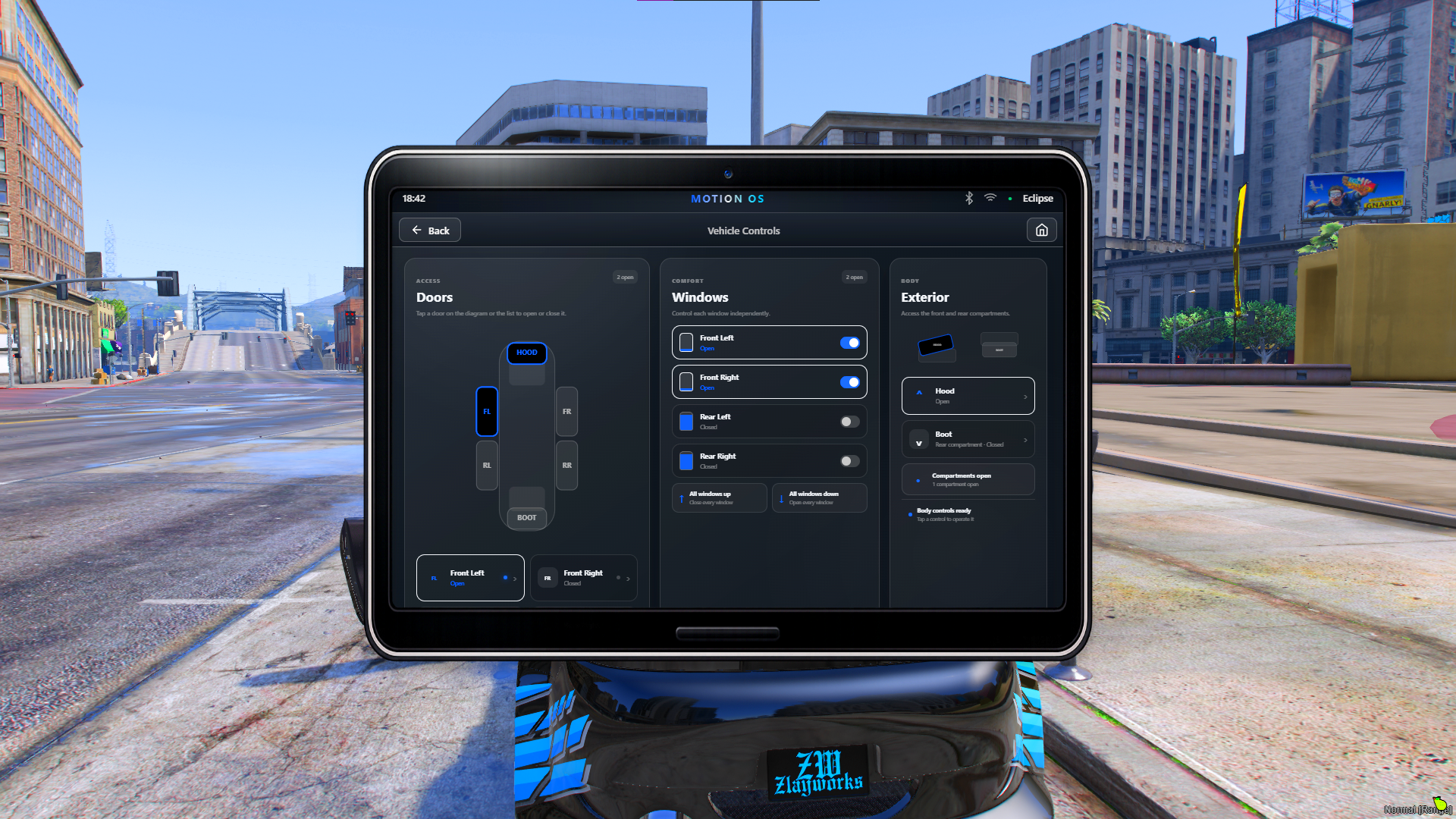
All screenshots below are actual in-game screenshots of H Scripts Infotainment running inside FiveM.
Scroll through the images below to see the interface, applications, playlists, vehicle controls and customisation options.
🎵 Music & Entertainment
Turn your vehicle into a complete entertainment system.
🎵 YouTube music support
🔊 xSound audio support
🎚️ Volume controls
📡 Stream support
📏 Configurable audio distance
🚫 Music blacklist
🔊 Audio/equalizer controls
🎶 Persistent vehicle playlists
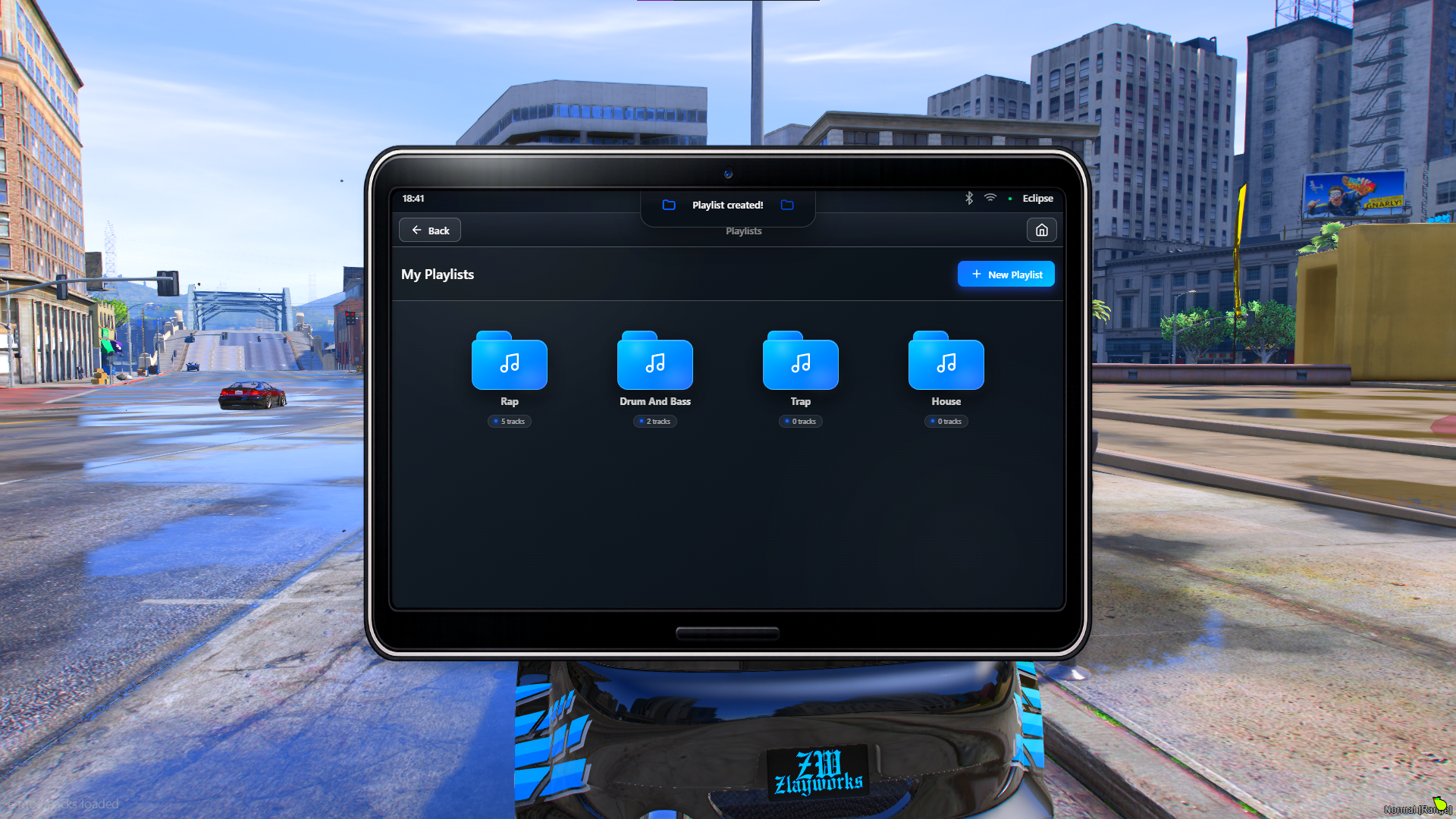
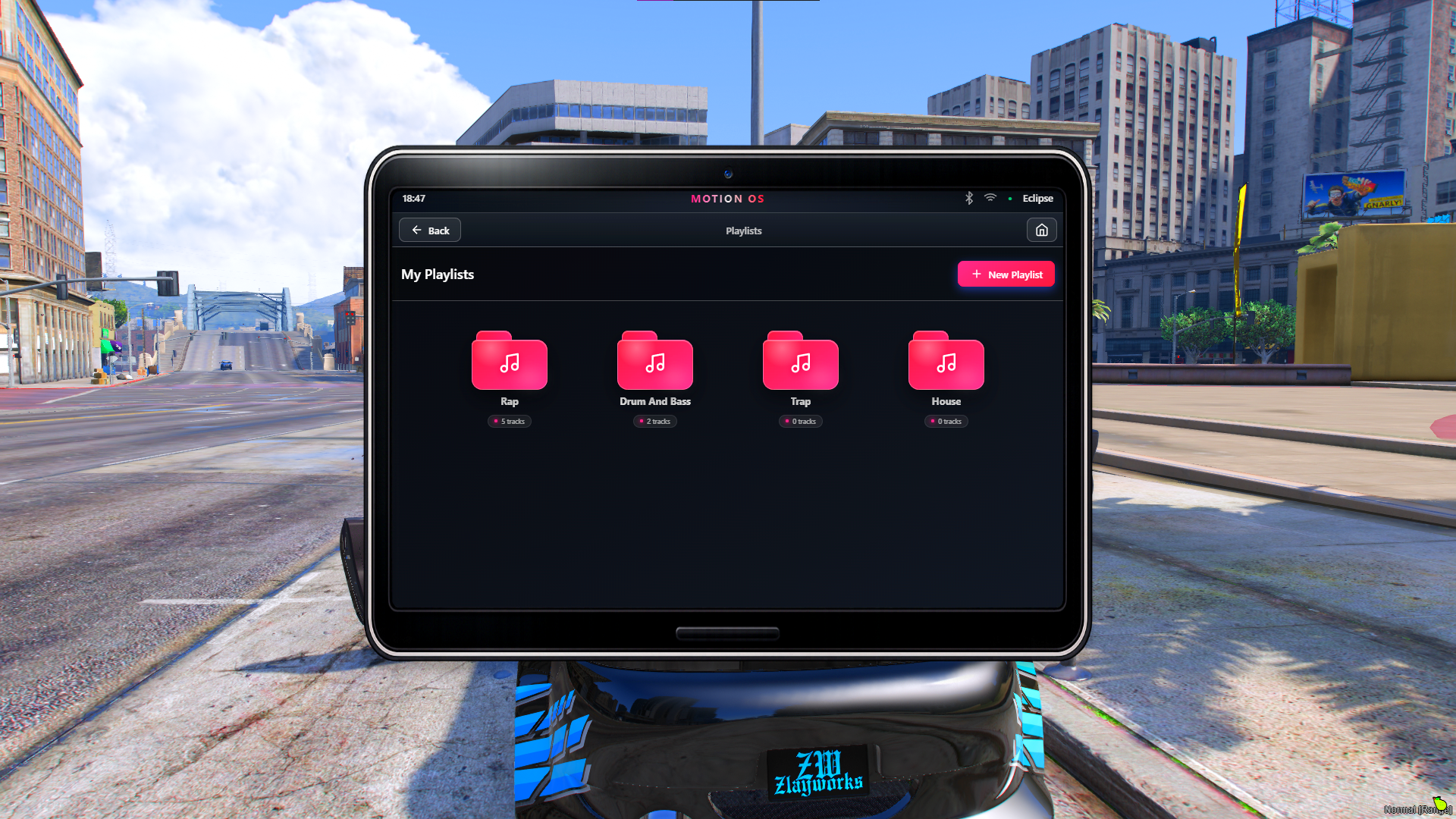
📁 Advanced Playlist System
Create and manage playlists directly from your vehicle.
V2 Playlist Overhaul
Playlists have been completely redesigned with a much more polished and modern interface.
📂 Folder-style playlist design
🎵 Redesigned song/track cards
🎶 Improved music icons
📊 Track counts
➕ Create playlists
➕ Add songs
➖ Remove songs
🗑️ Delete playlists
🔄 Refresh playlists
💾 Persistent playlist storage
Your playlists are saved to your vehicles, allowing your music library to stay with the vehicle.
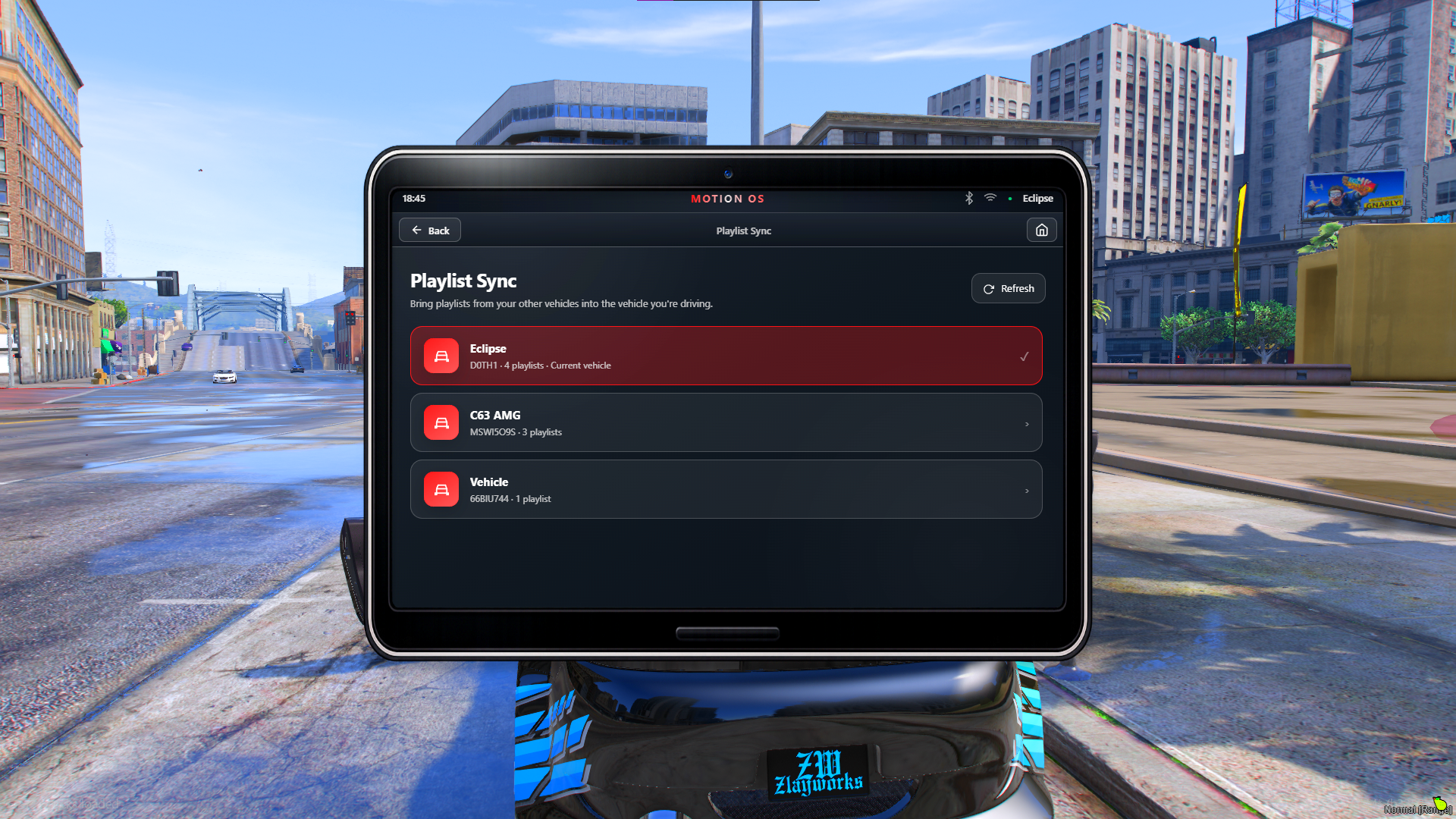
🔄 NEW — Playlist Sync
Take your playlists with you.
V2 introduces a completely new Playlist Sync application.
Own multiple vehicles? No problem.
The Sync app allows you to:
🚗 View your other vehicles
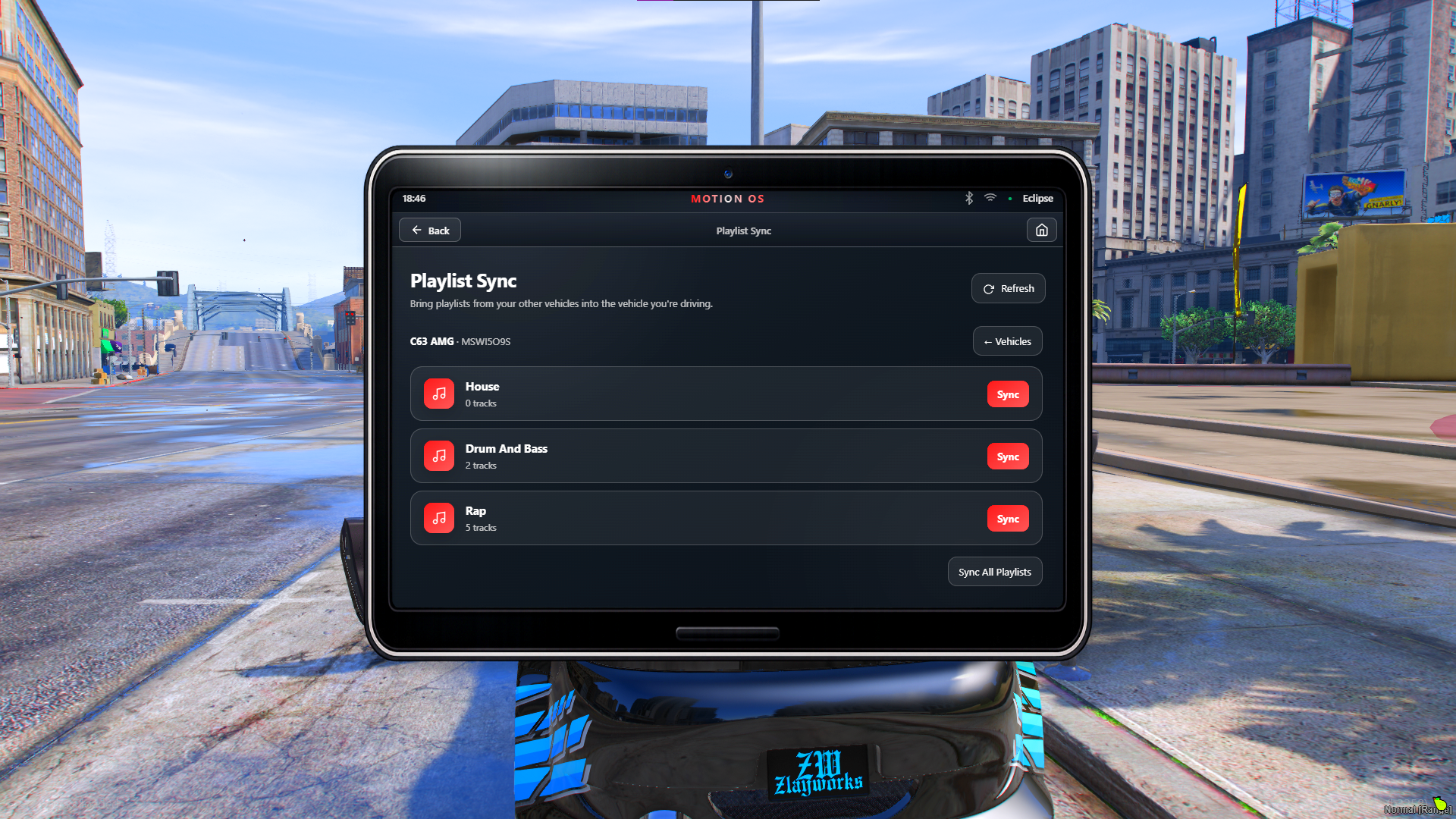
📂 Browse playlists from another vehicle
🎵 View songs inside playlists
🔄 Sync individual playlists
⚡ Sync all playlists at once
🔃 Refresh vehicle playlist data
Create the perfect playlist in one vehicle and easily transfer it to another.
🚗 Vehicle Controls
Take control of your vehicle directly from Motion OS.
Control:
🚪 Front doors
🚪 Rear doors
🪟 Individual windows
🔧 Hood
🧳 Boot
🔒 Close all doors
🪟 Control all windows
V2 introduces a redesigned vehicle-control interface with live visual status indicators and a much more detailed presentation.
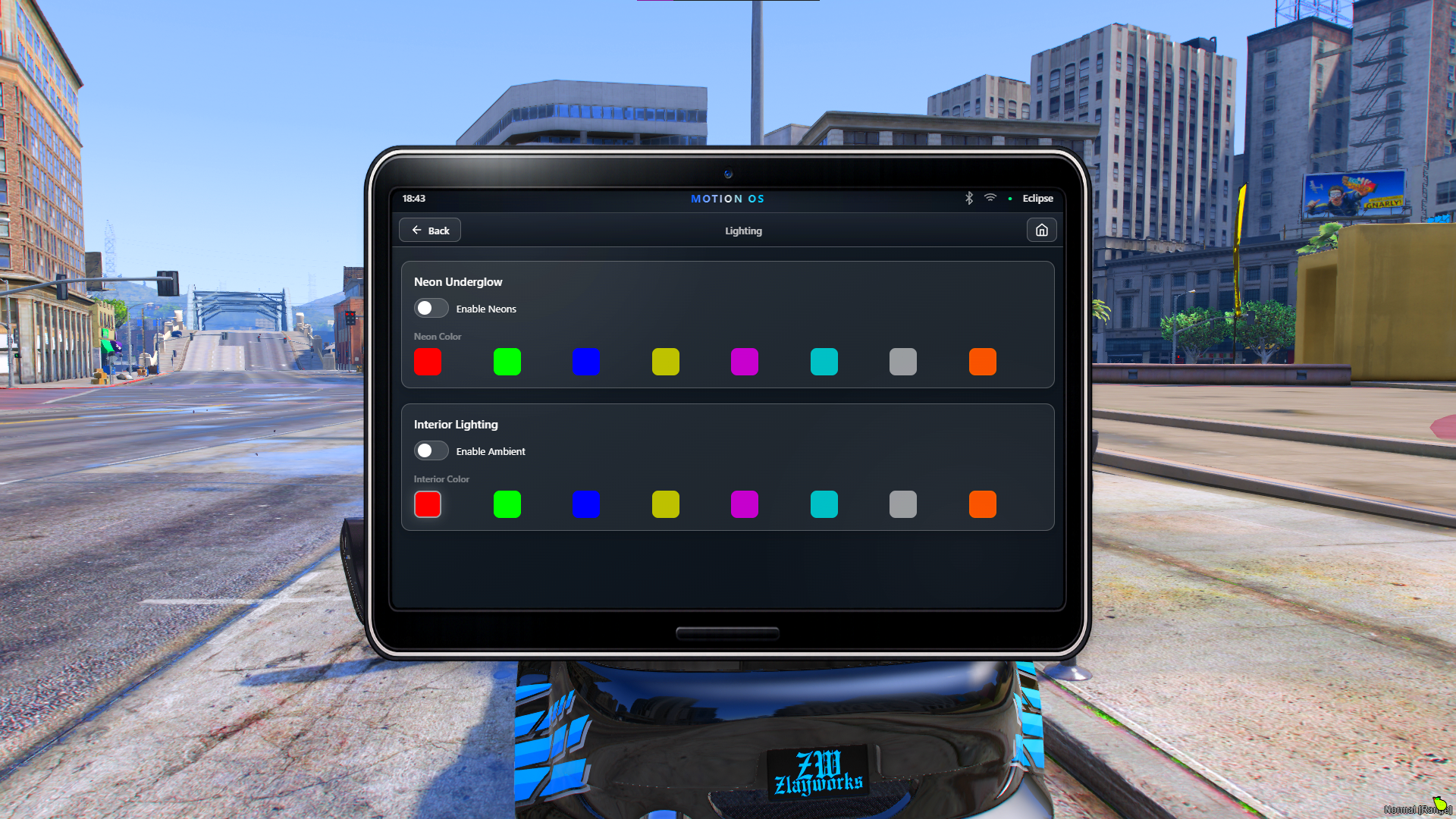
💡 Vehicle Lighting
Control supported vehicle lighting directly through the infotainment system.
A clean and immersive interface makes controlling your vehicle's lighting simple and intuitive.
🗺️ Built-In GPS Navigation
Give players an easy way to find important locations around your server.
🗺️ Built-in navigation interface
📍 Custom waypoint locations
🏪 Configurable location categories
⛽ Fuel stations
🔧 Services
🛍️ Shops
📍 Custom server locations
GPS locations can be configured to suit your server.
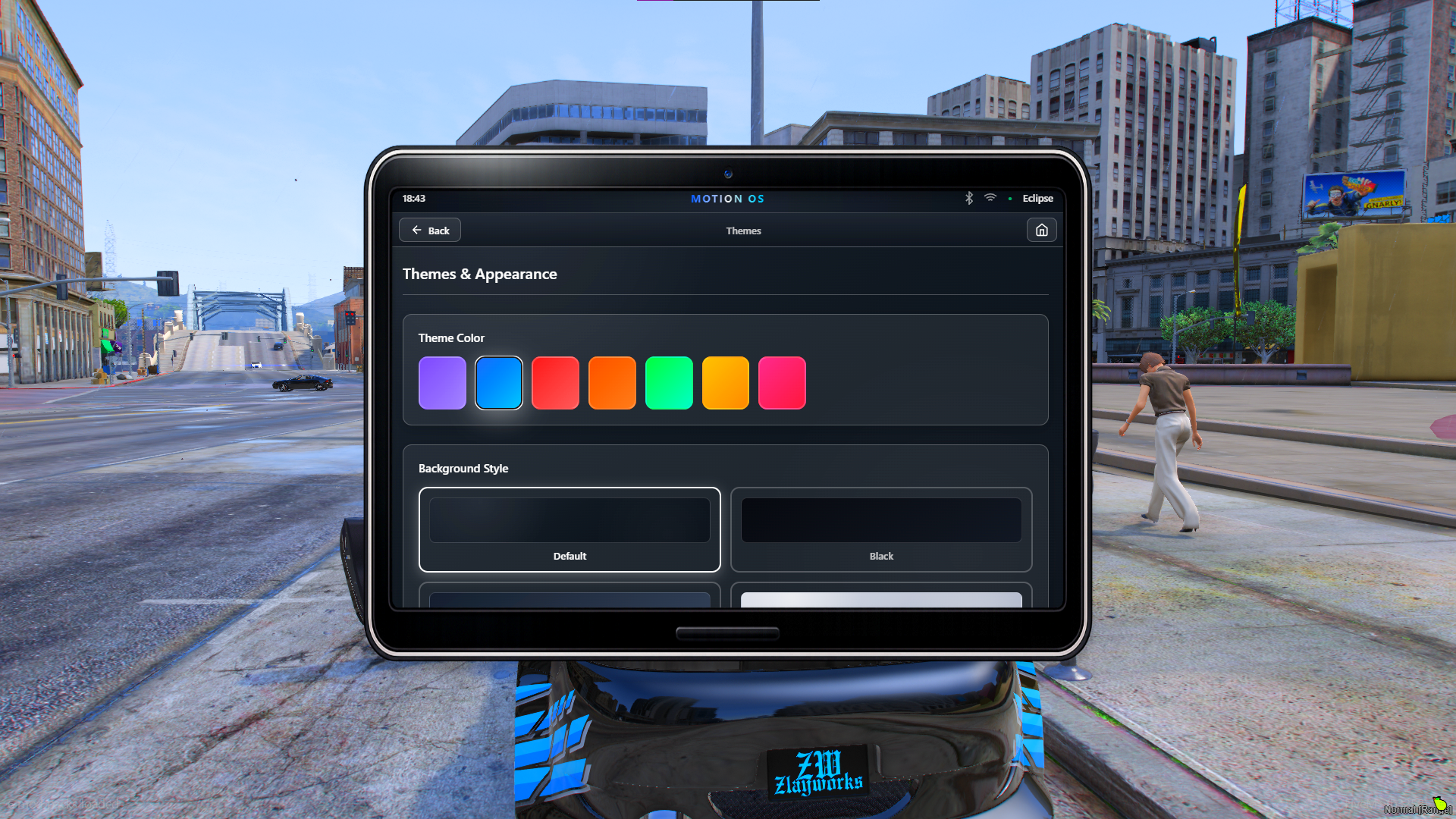
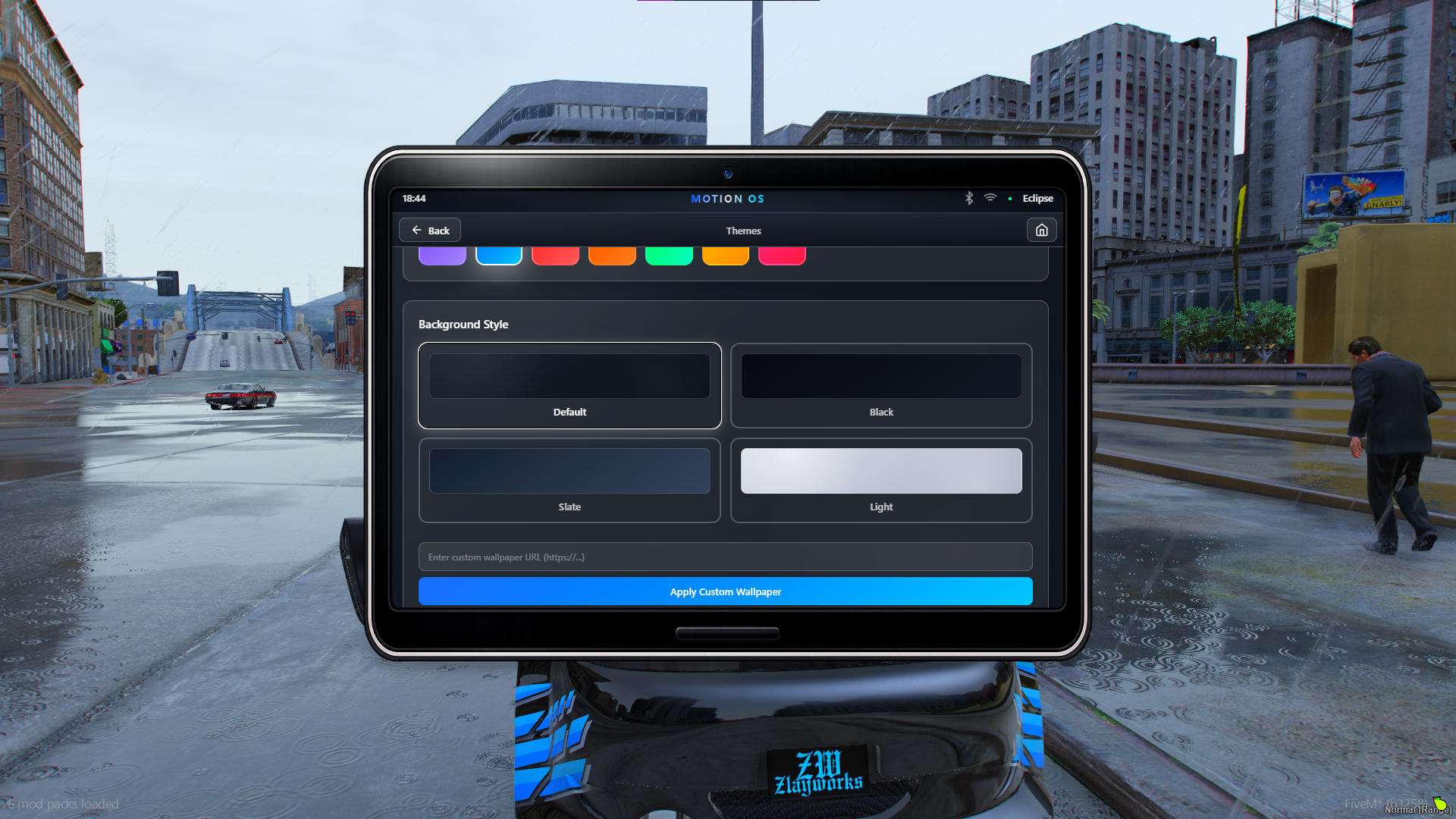
🎨 Themes & Wallpapers
Make Motion OS fit your server.
Players can customise their infotainment system with:
🎨 Multiple accent colours
🖼️ Multiple backgrounds
🌄 Custom wallpapers
✨ Persistent theme settings
🎨 Separate accent and background customisation
Create the look you want without being locked into a single colour scheme.
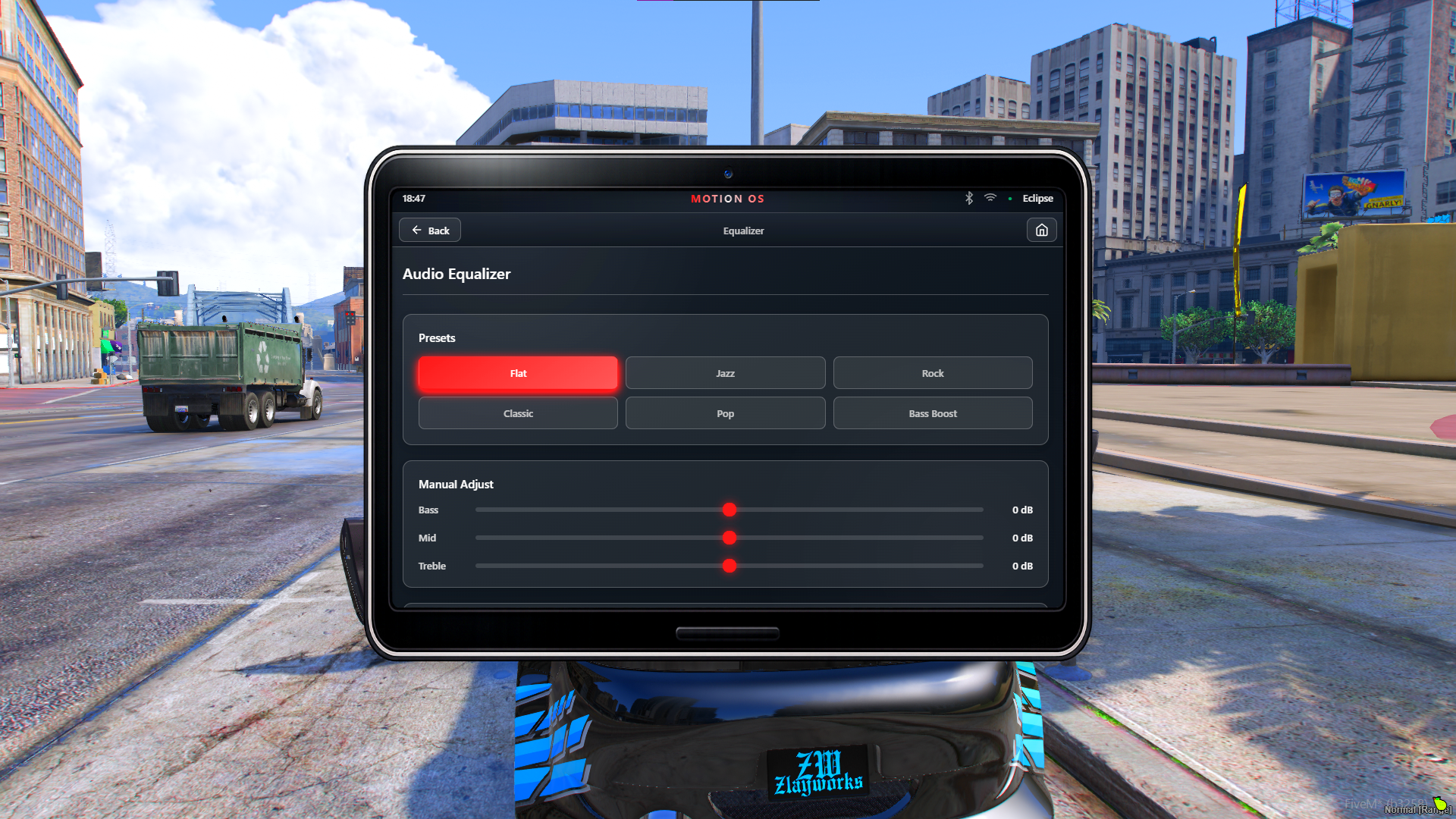
🎚️ Equalizer
Give players more control over their audio experience.
Bass
Mid
Treble
Presets
Persistent settings
🔔 Motion OS Notifications
V2 introduces a completely redesigned notification system that matches the rest of the interface.
Notifications are used throughout Motion OS for things such as:
🎵 Music
📁 Playlists
🔄 Playlist Sync
🗺️ GPS
🚗 Vehicle controls
💡 Lighting
🎨 Themes
⚠️ Warnings and errors
Everything feels like part of one consistent operating system.
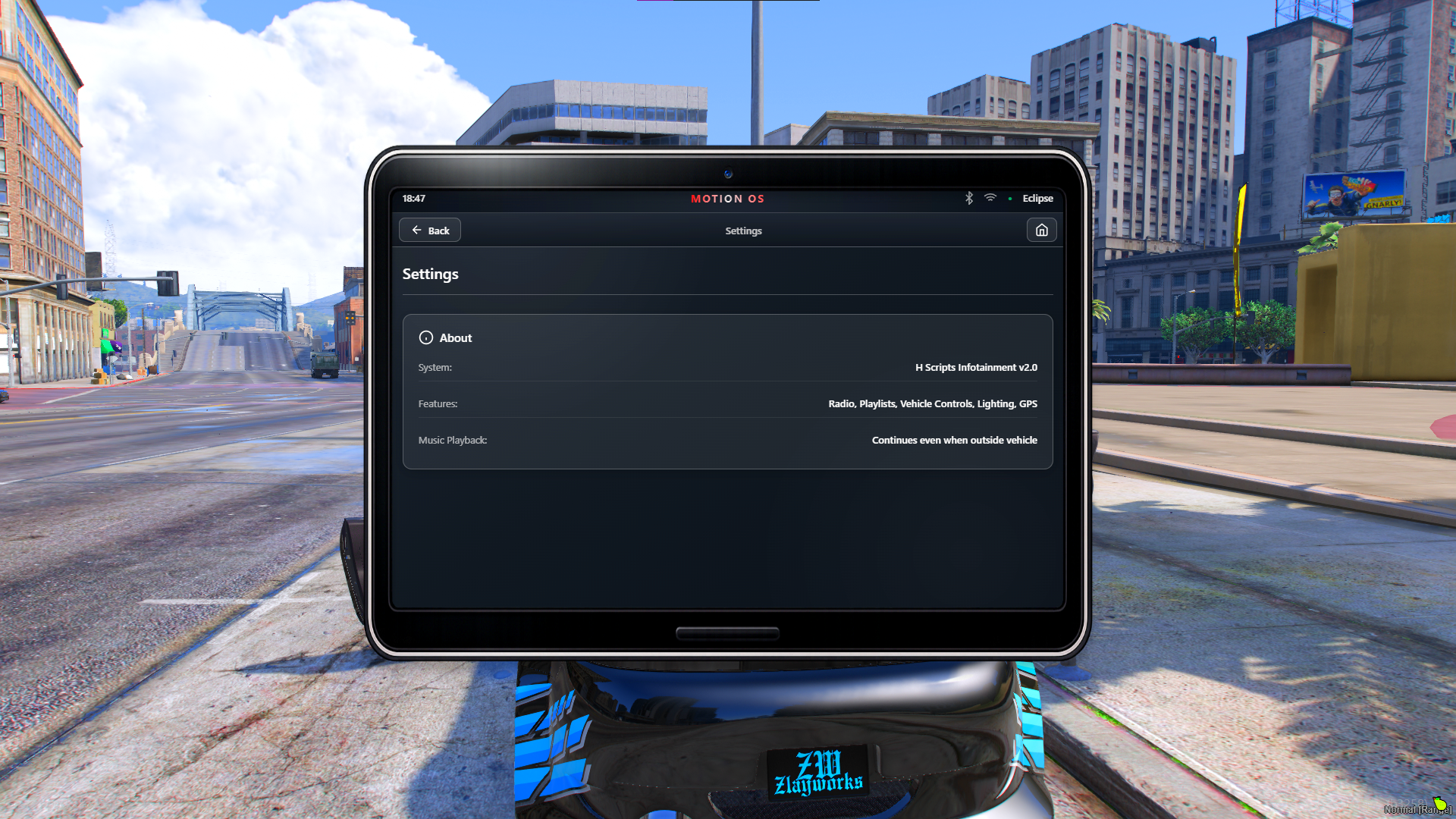
📱 Motion OS Interface
The entire system is presented through a modern tablet-style interface inspired by high-end vehicle infotainment systems.
Designed with:
✨ Modern UI/UX
🎨 Premium visual design
🧩 Clean application layout
📱 Responsive interface
🔄 Smooth interactions
🌑 Dark premium aesthetic
⚡ Optimised performance
⚙️ Highly Configurable
A large amount of the system can be configured to fit your server.
Configure things such as:
Framework
Music settings
Audio distance
Vehicle restrictions
Seat restrictions
Tablet item
Commands
Hotkeys
GPS locations
Themes
Wallpapers
ACE permissions
Webhook logging
Blacklisted vehicles
Blacklisted music
Sound system
📦 Requirements
Required
oxmysql
xSound
OneSync
Framework
Supports:
QBox
QBCore
ESX
Standalone
🛠️ Installation
Installation is simple:
Drag and drop the resource into your server's
resourcesfolder.Make sure oxmysql and xSound are installed.
Start the dependencies before H Scripts Infotainment.
Configure
config.lua.Add the resource to your server configuration.
Example:
ensure oxmysqlensure ox_libensure frameworkensure inventoryensure xsoundensure hscripts-infotainment
The required database tables are automatically created when the resource starts.
🚀 V2 UPDATE
A major upgrade to H Scripts Infotainment.
V2 introduces:
🔄 NEW Playlist Sync system
📂 NEW folder-style playlists
🎵 Redesigned playlist songs
🚗 Redesigned vehicle controls
🎨 Improved themes and backgrounds
🔔 New Motion OS notification system
🖼️ Improved wallpaper handling
🎚️ Improved audio/equalizer experience
✨ Major UI/UX improvements
⚡ General optimisations, fixes and refinements
💬 Support
Need help?
Join the H Scripts Discord for support, updates, announcements and assistance with your purchase.
Discord:
https://discord.gg/xb7pzacvaD
❤️ Built by H Scripts
H Scripts Infotainment is built with a focus on creating modern, premium and immersive FiveM resources without sacrificing performance or usability.
Version: 2.0.0