HSCRIPTS Chat
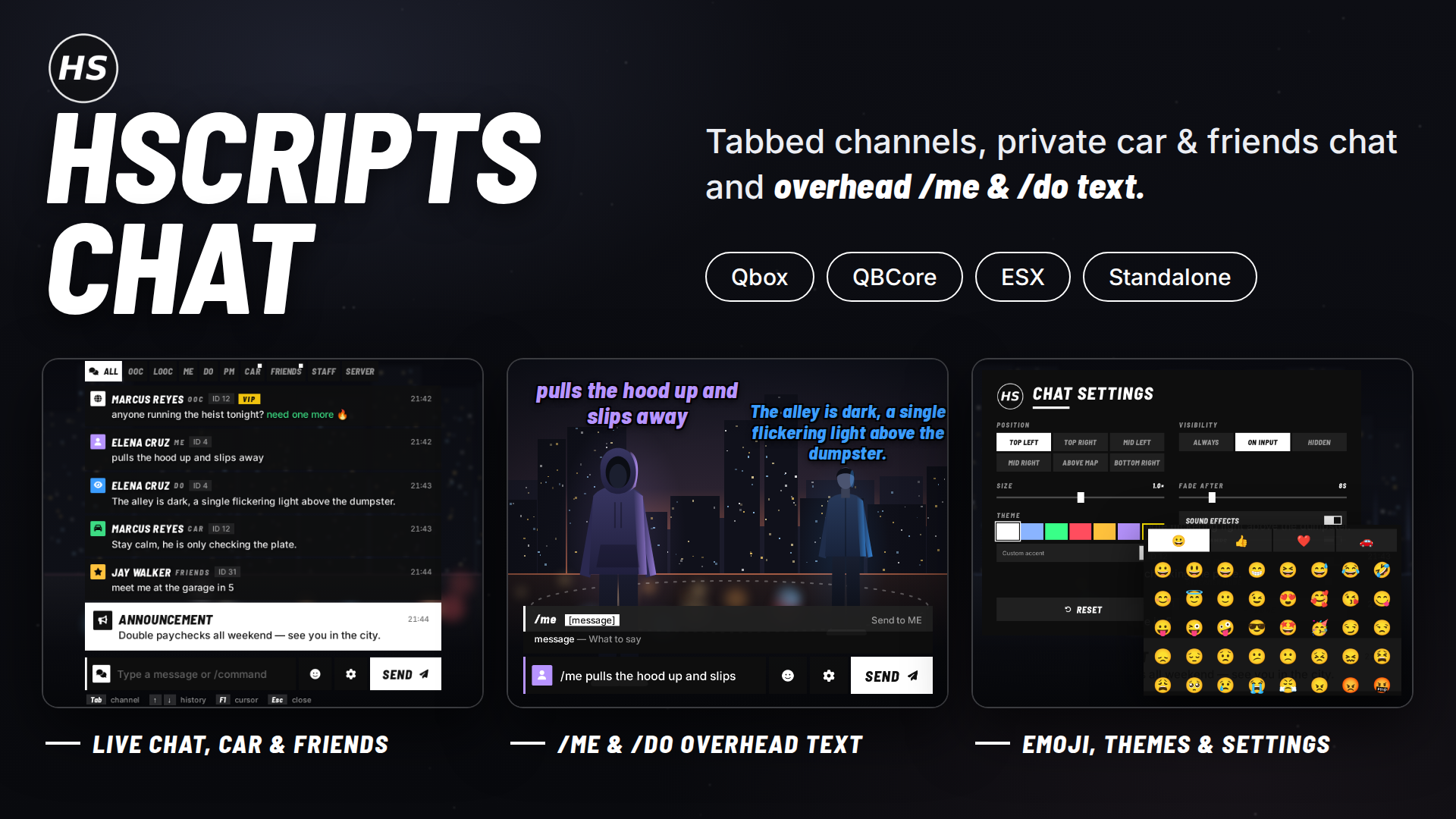
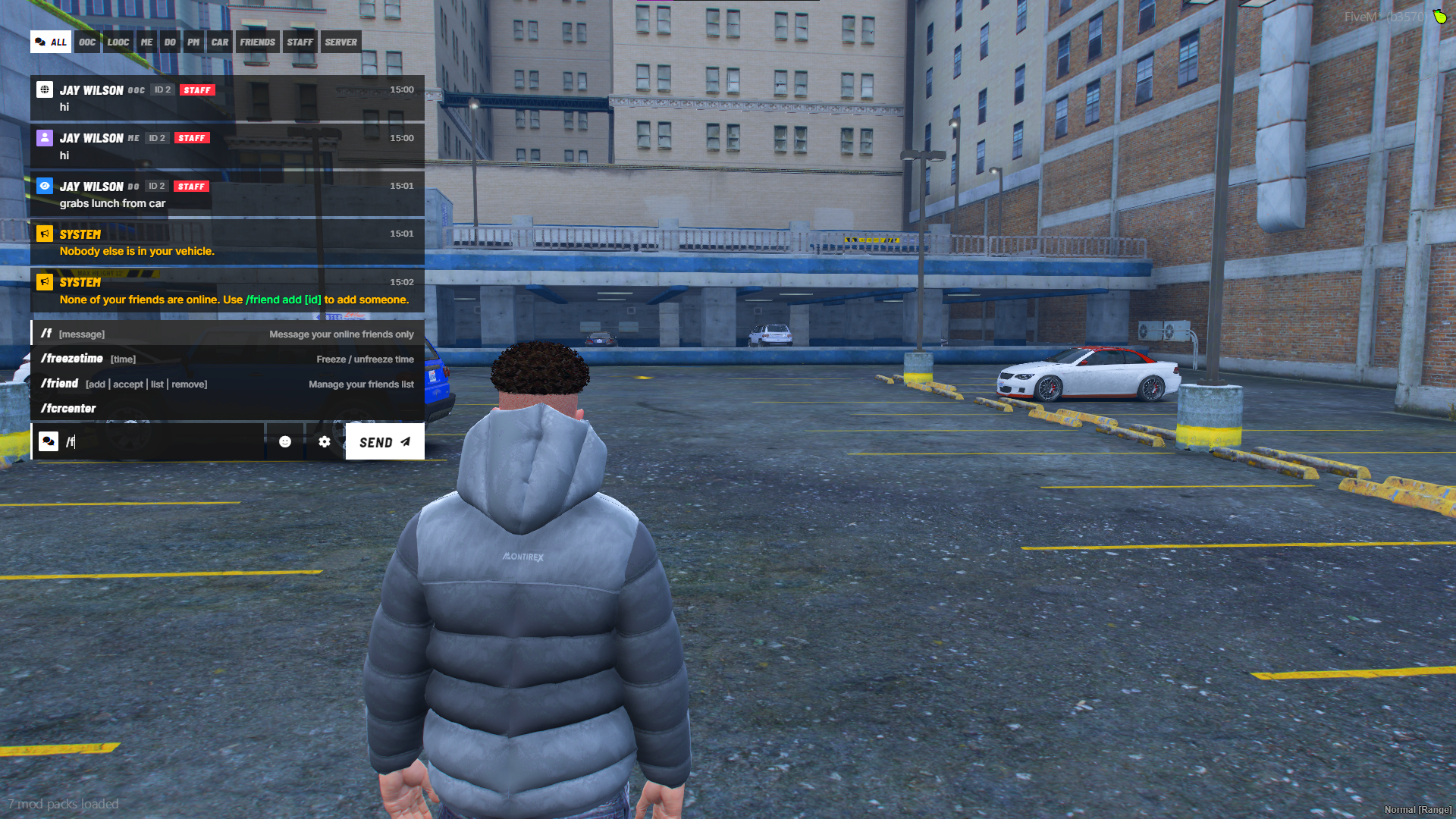
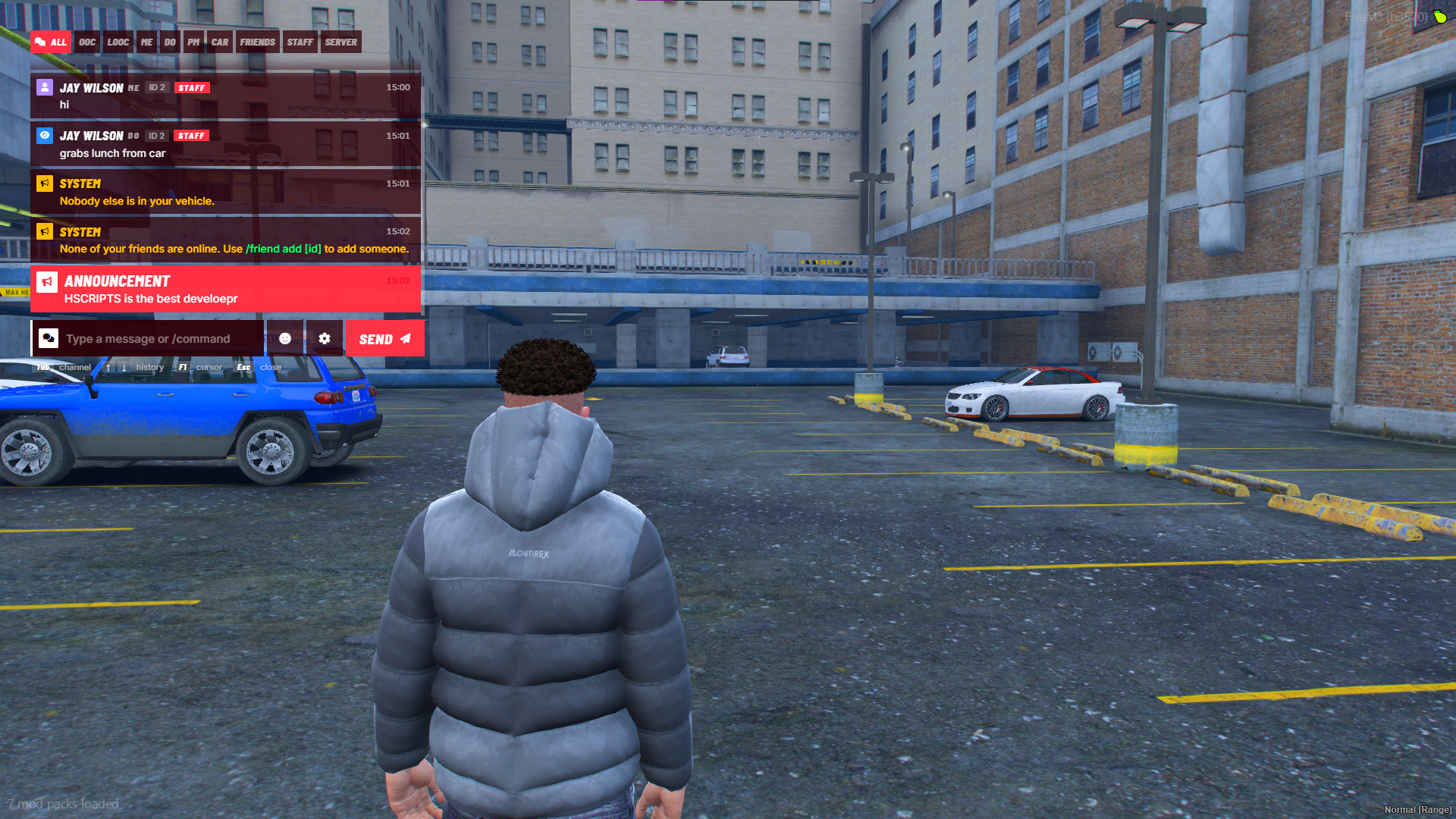
Channel tabs, private car and friends chat, floating /me and /do text
Qbox · QBCore · ESX · Standalone
Give your server a chat that actually feels like roleplay
The default FiveM chat is a plain box of text. HSCRIPTS Chat replaces it with a clean, modern chat built for roleplay servers: separate tabs for every type of message, private channels for the moments that need them, and /me and /do text that floats above your players' heads.
It installs in about two minutes, needs no database and no extra dependencies, and works with Qbox, QBCore, ESX or no framework at all.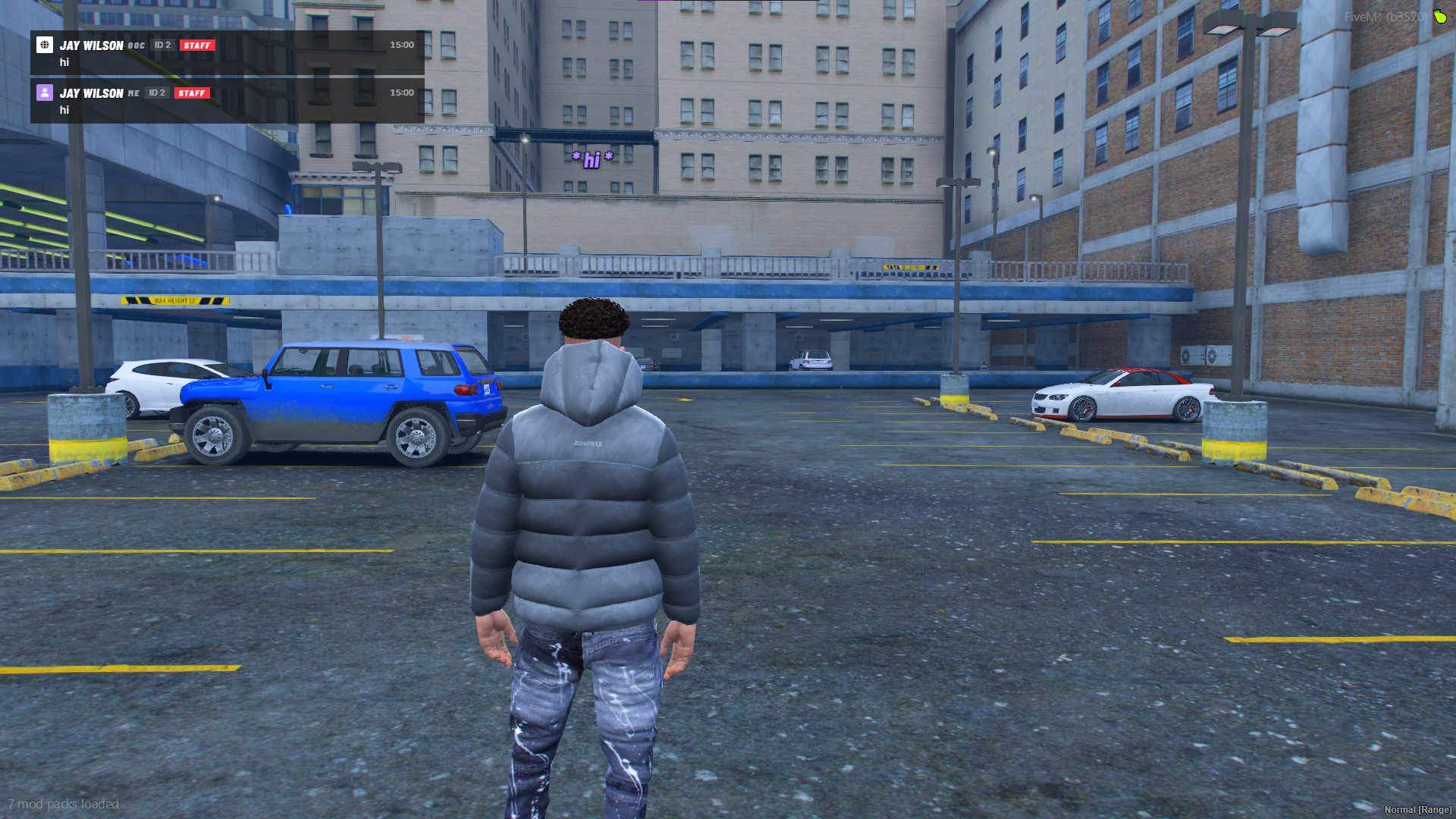
Features
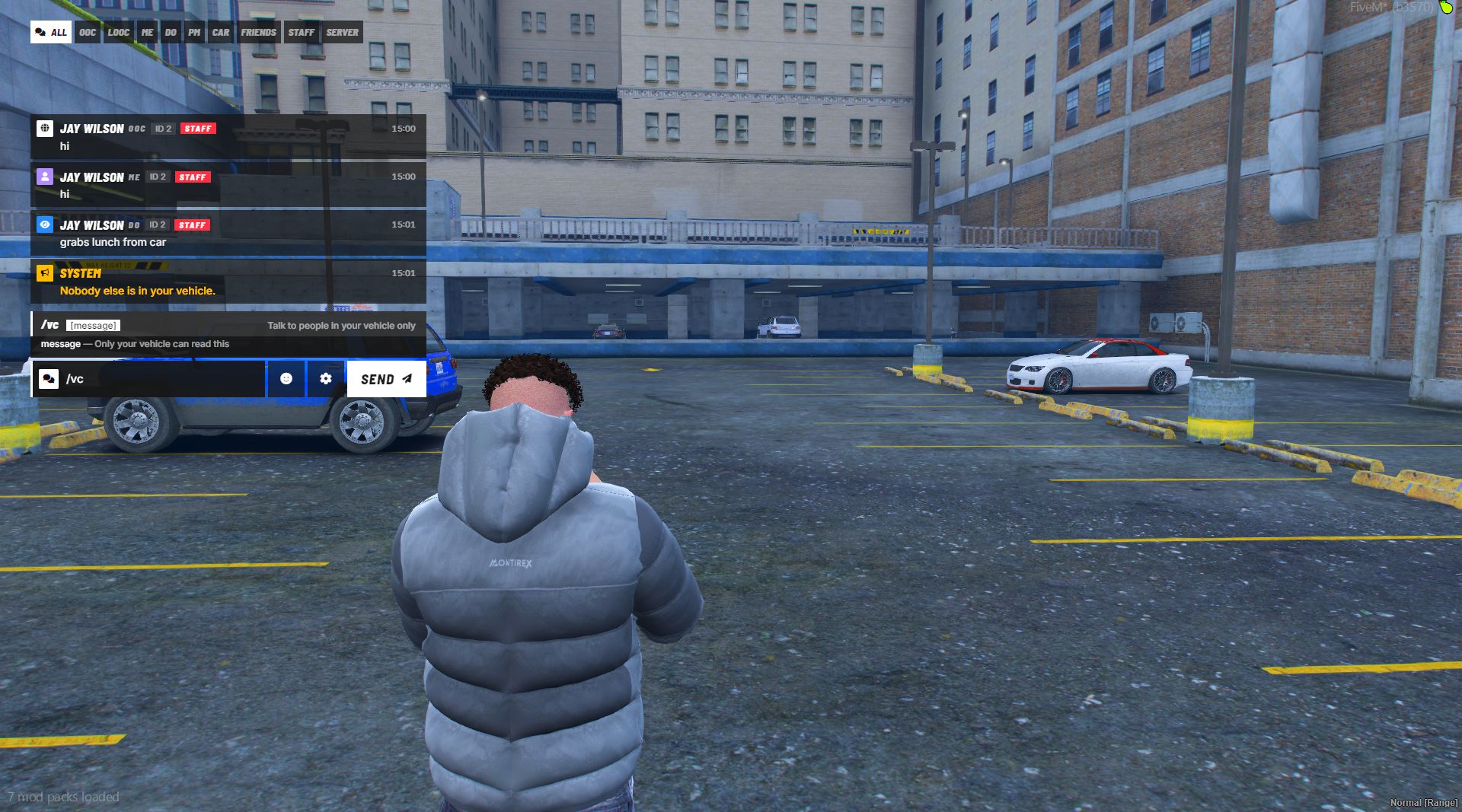
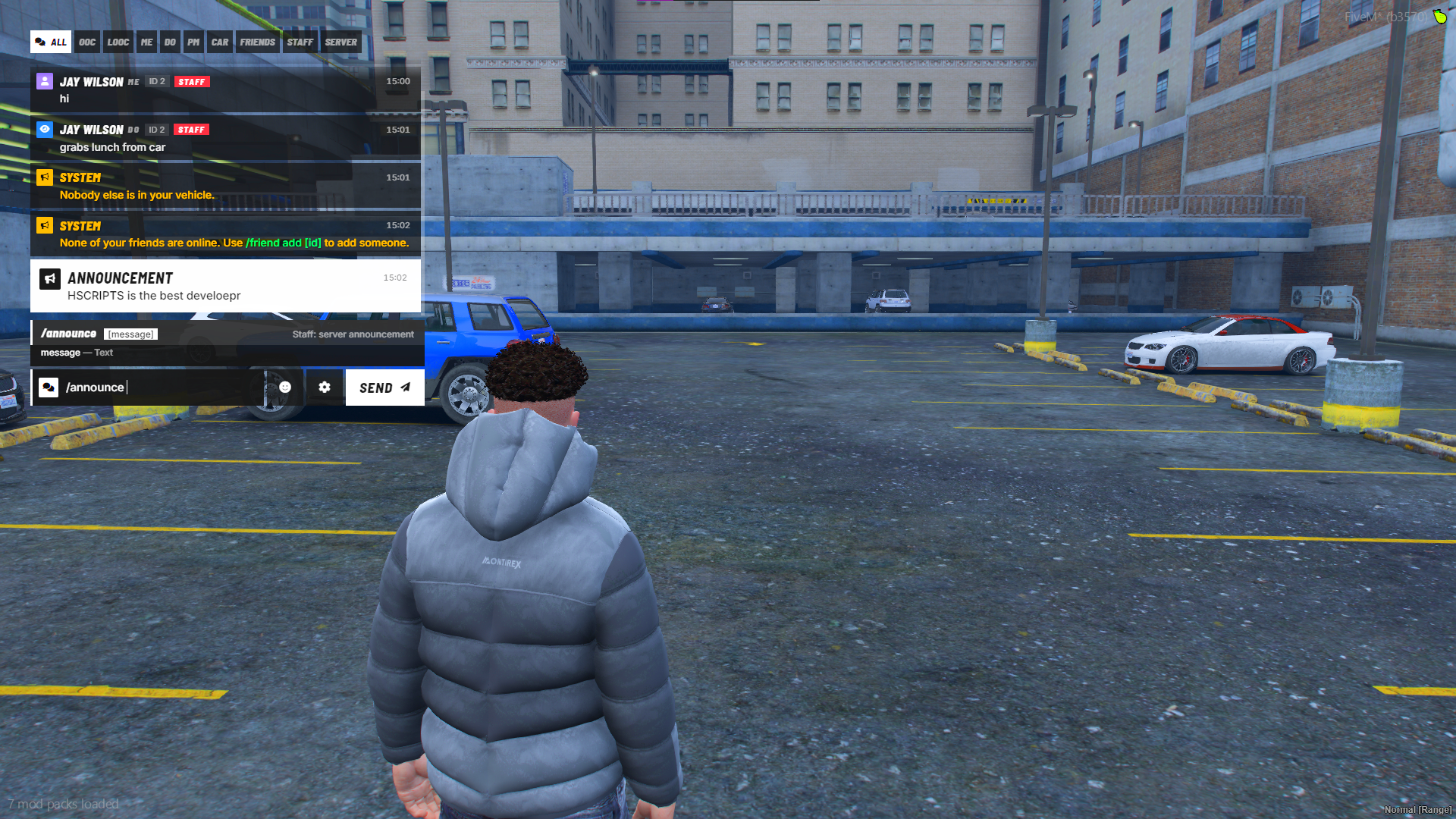
Channel tabs ALL, OOC, LOOC, ME, DO, PM, CAR, FRIENDS, STAFF and SERVER. Players click or press Tab to move between them, and unread tabs get a marker. Rename, recolour, reorder, remove or add your own channels in the config.
Private car chat (/vc) Only the people in the same vehicle can read it. Perfect for traffic stops, convoys and heists where the people in the car need to talk and nobody outside should see it.
Friends chat (/f) Players add each other with /friend add and /friend accept, then message all their online friends from anywhere on the map. Friends are saved between restarts and need no database.
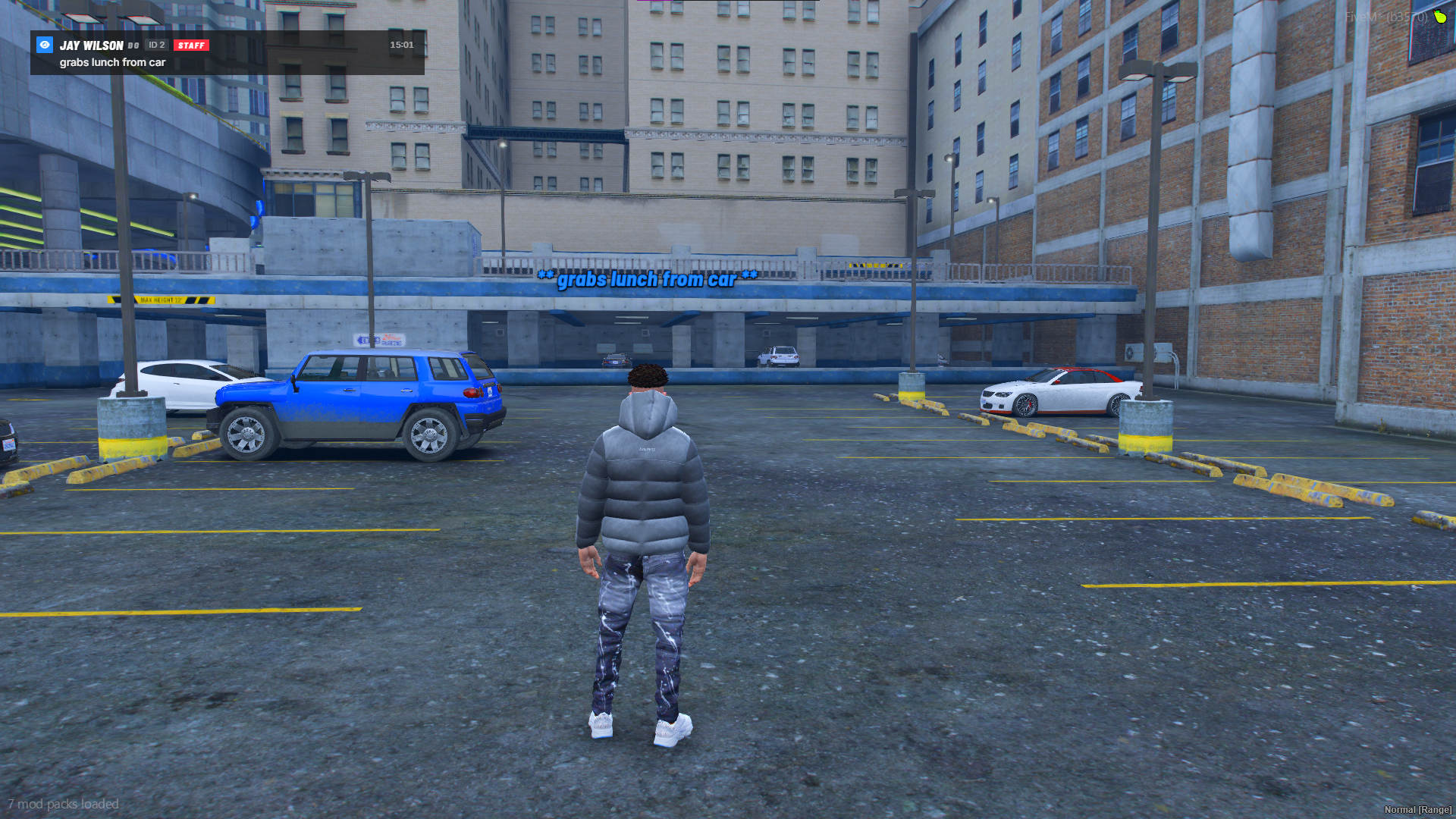
Floating /me and /do text Roleplay actions and descriptions show above the character's head in purple and blue. They shrink and fade with distance, and you control the range, size, font and colours.
Everything else a roleplay chat needs
- Proximity LOOC,
/pmprivate messages,/staffchat and/announce - Command autocomplete with parameter hints
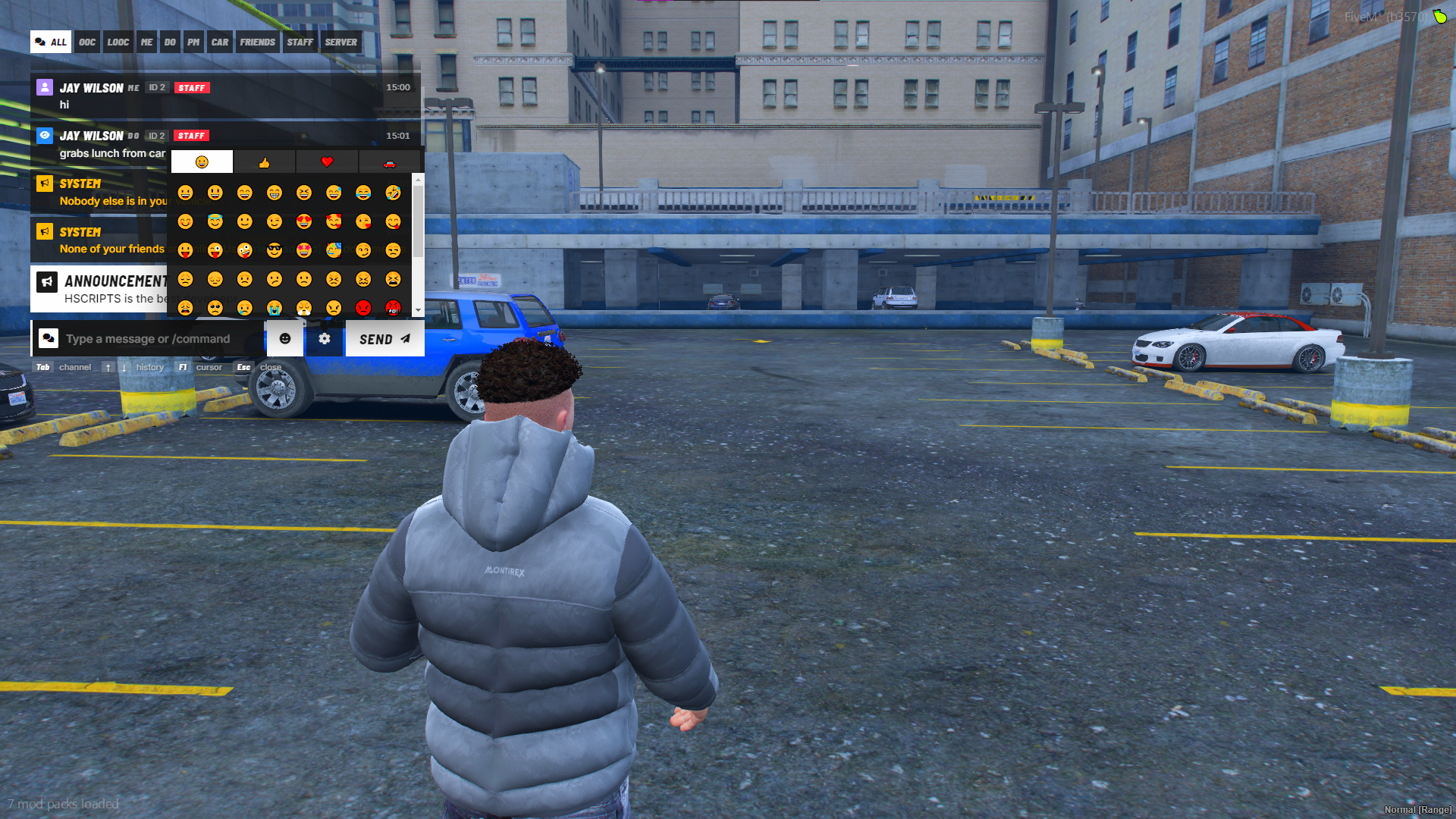
- Emoji picker
- VIP, STAFF and DEV tags next to names (add your own)
- Colour codes in server messages, with player text kept safe from spoofing
- Spam cooldown, message length limit and word blacklist
- Message history with the arrow keys
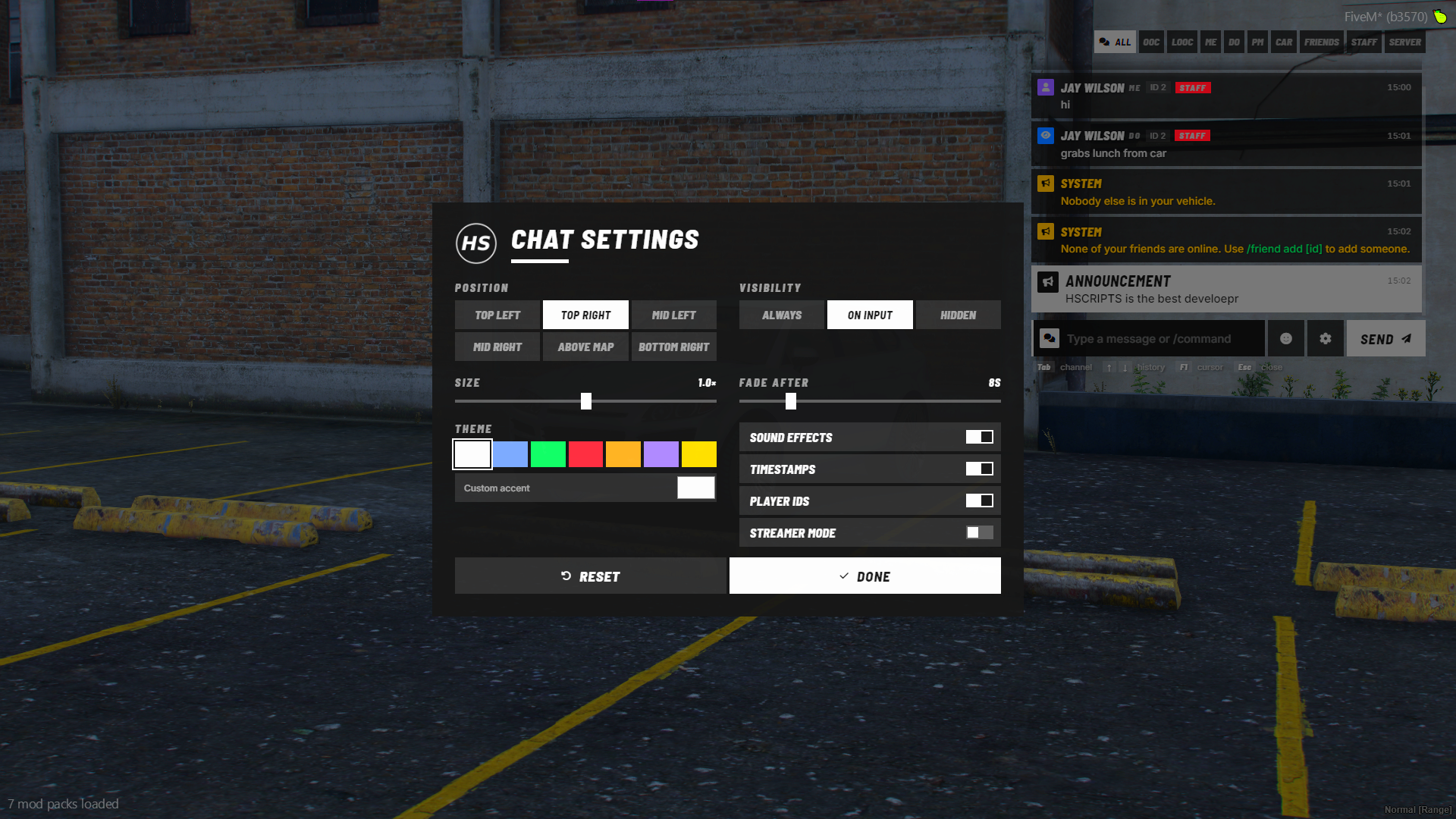
A settings panel every player can use Six chat positions, visibility mode, size, fade time, theme colours with a custom accent, sound effects, timestamps, player IDs and Streamer Mode. It's saved per player.
Works with your existing scripts It's a drop-in for the default chat. Scripts that use chat:addMessage, exports.chat:addMessage, templates, suggestions or the older chatMessage event keep working. Output from /refresh, /restart and /ensure shows in the SERVER tab.
Built for developers too Exports for sending messages and tags, a logging event, message blocking hooks, and theme syncing with the HSCRIPTS HUD.
Compatibility
| Frameworks | Qbox, QBCore, ESX, Standalone (custom frameworks supported through two config functions) |
| Database | Not needed |
| Dependencies | None |
| Requires | OneSync |
| Replaces | The default chat resource |
What you get
- The full
hscripts_chatresource - A clearly commented
config.lua - A step-by-step README with install, configuration, developer examples and troubleshooting
Support
Questions or problems? Open a ticket in the HSCRIPTS Discord and I'll help you get set up.