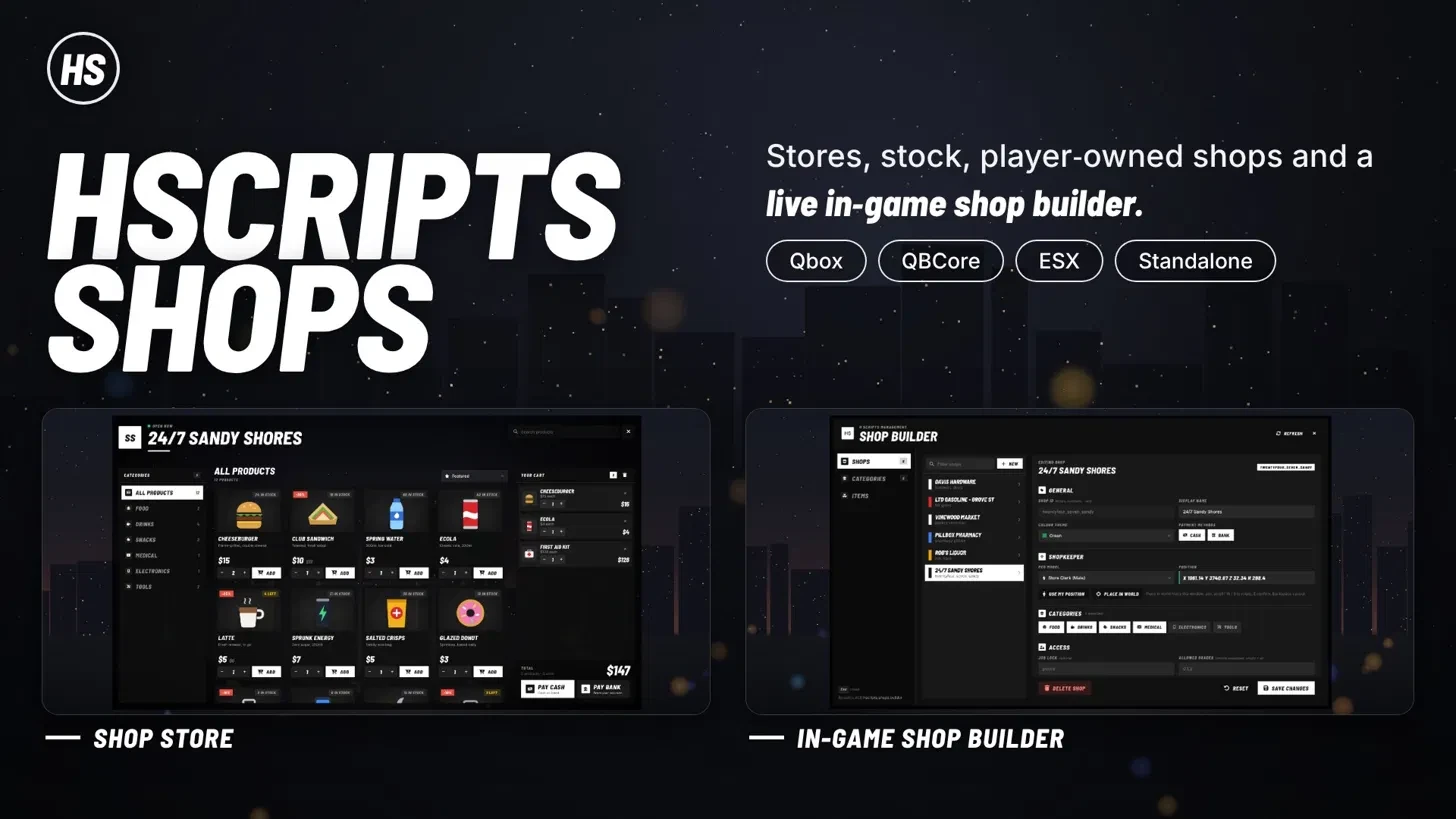
HScripts Shops
A complete shop system with a builder you use in-game. Create shops, set up categories and items, and place shopkeepers while you’re on the server. Everything is saved to your database and goes live straight away, with no config editing and no restarts.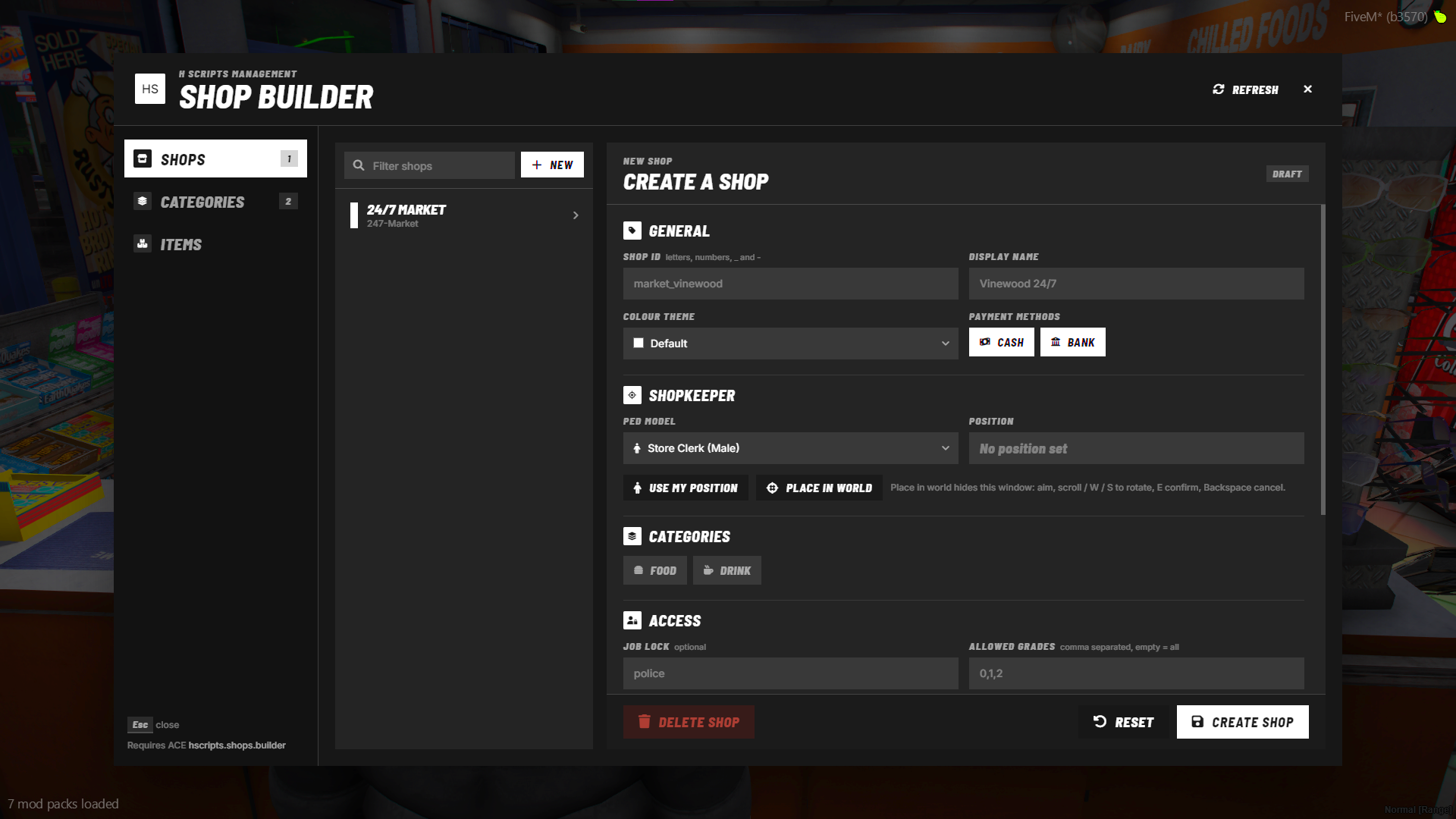
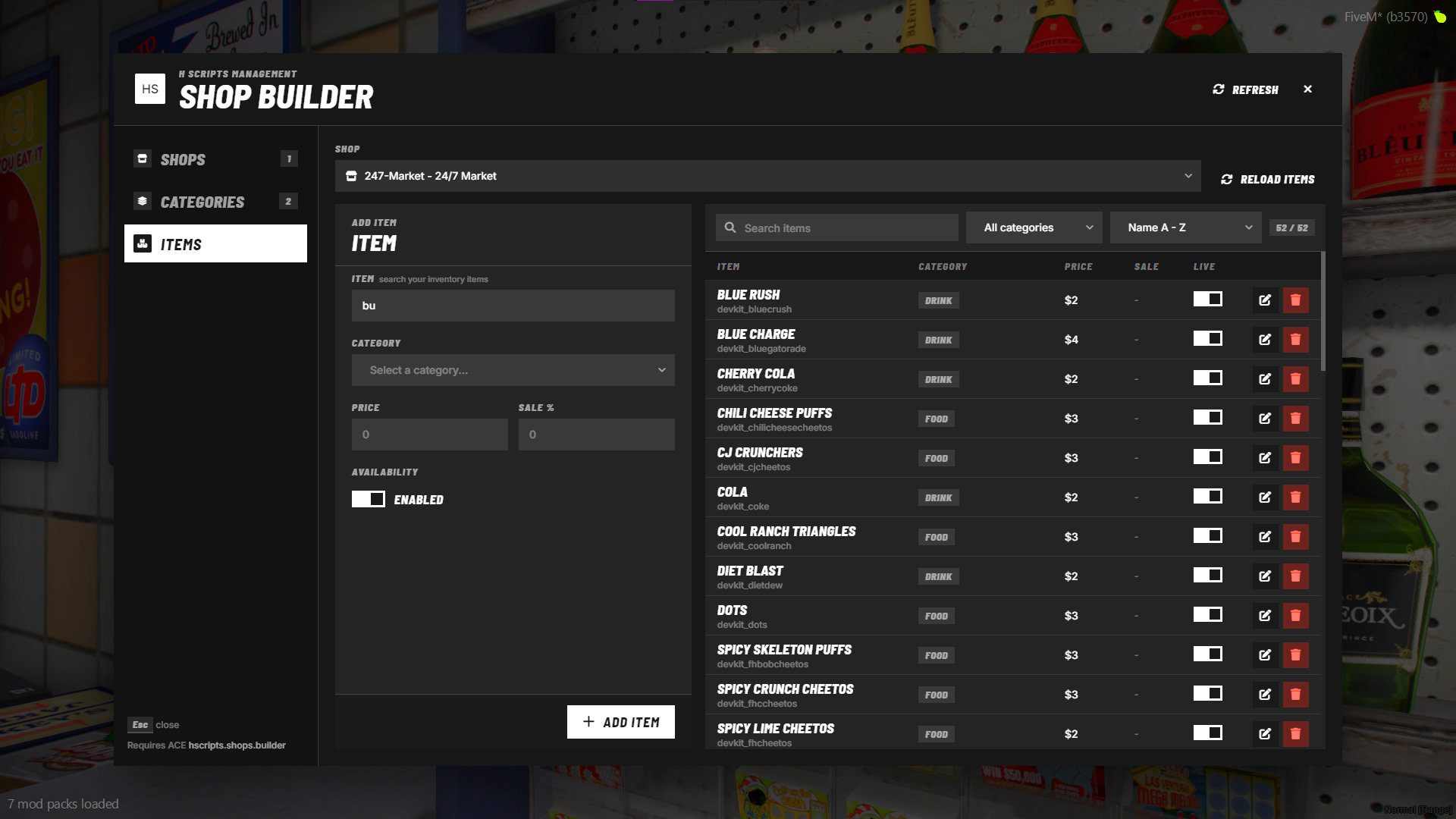
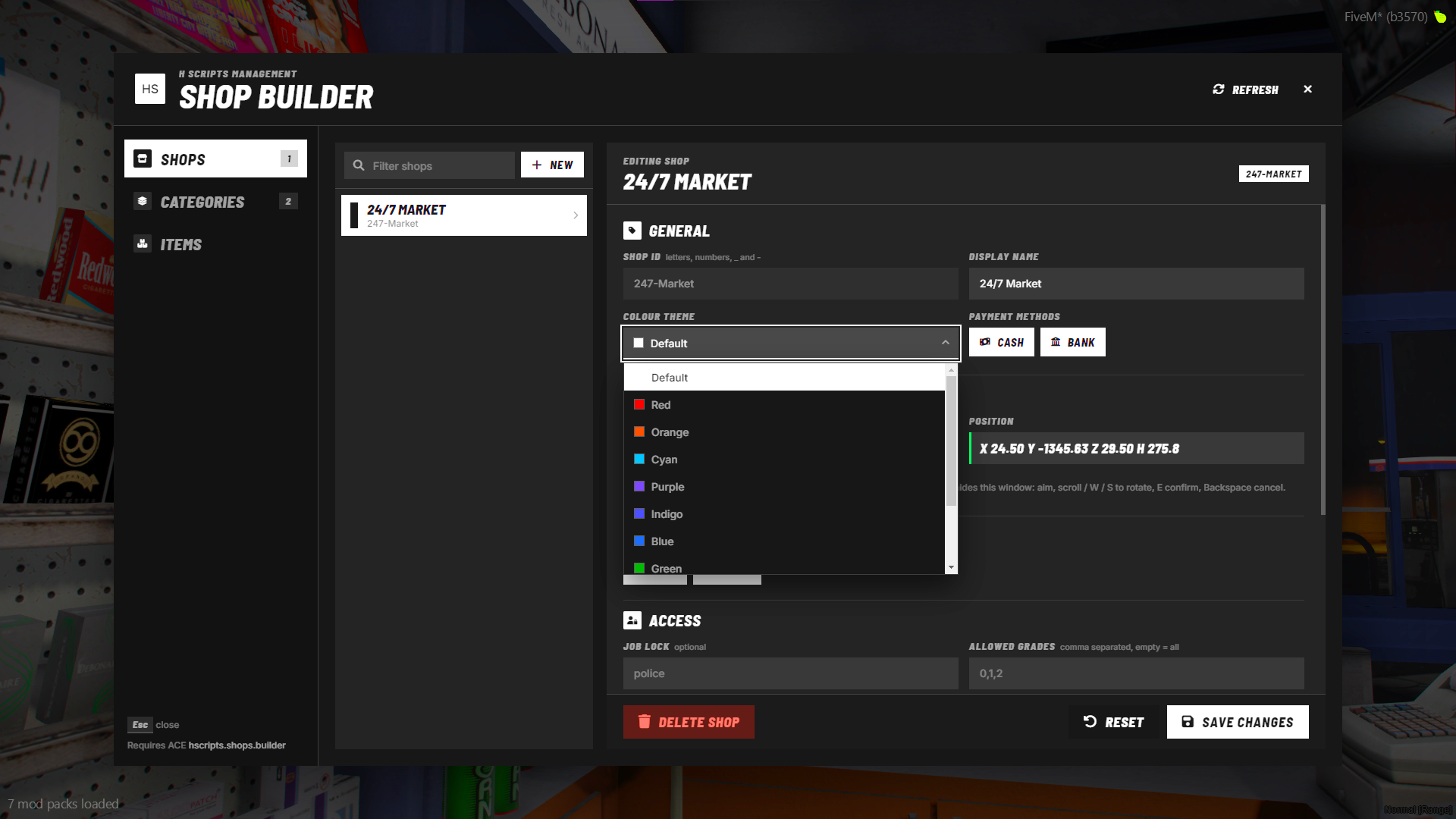
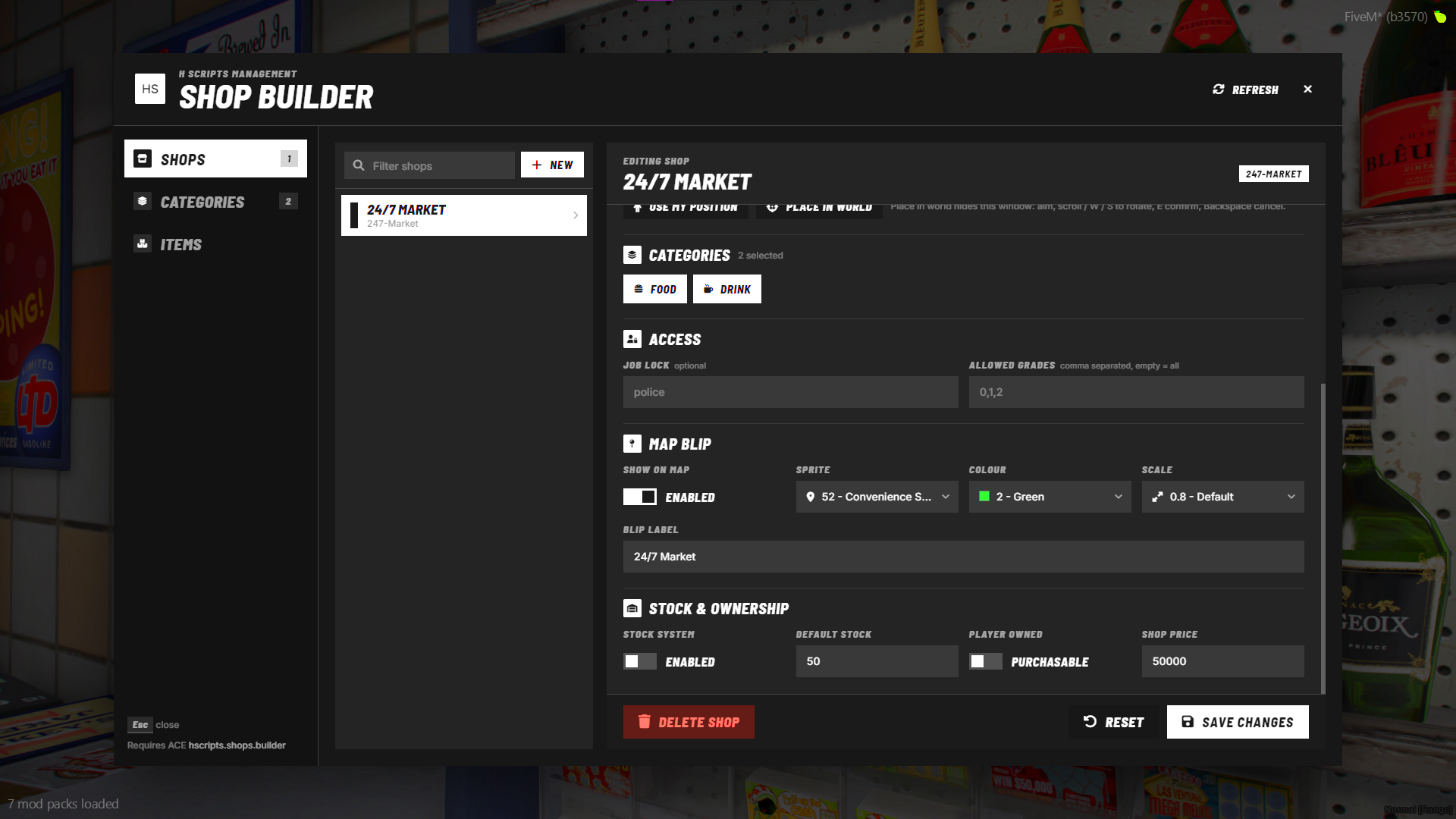
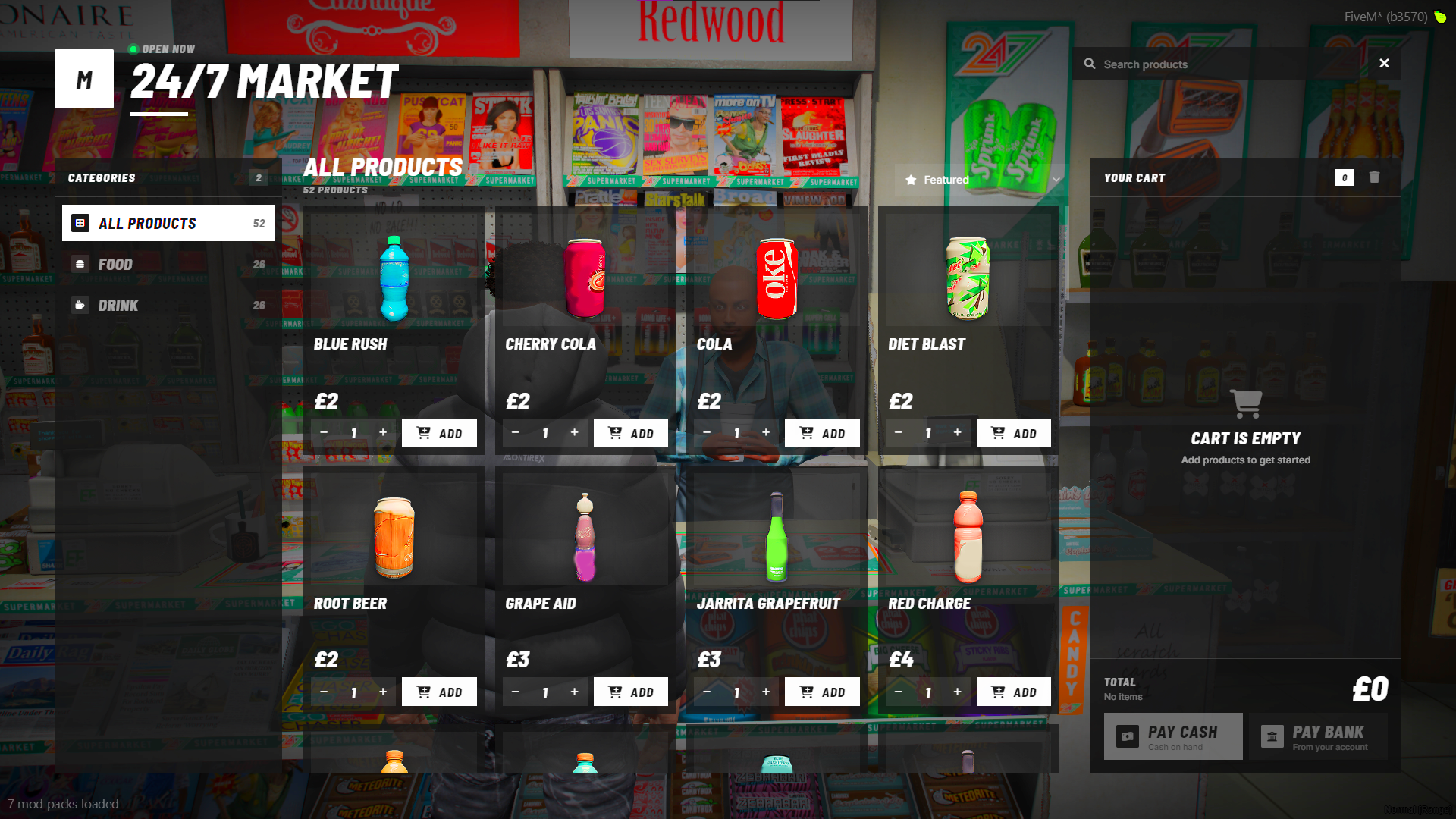
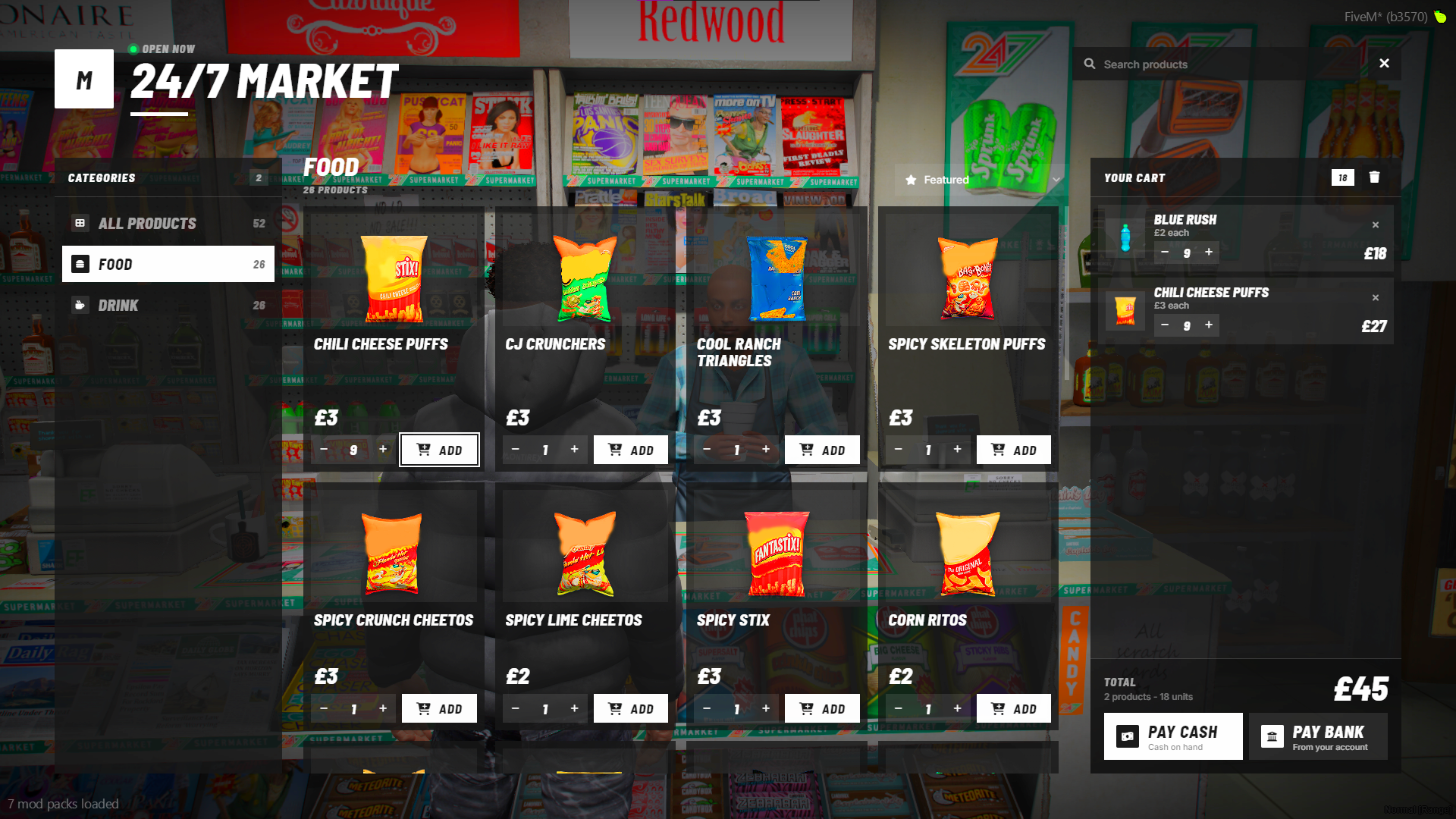
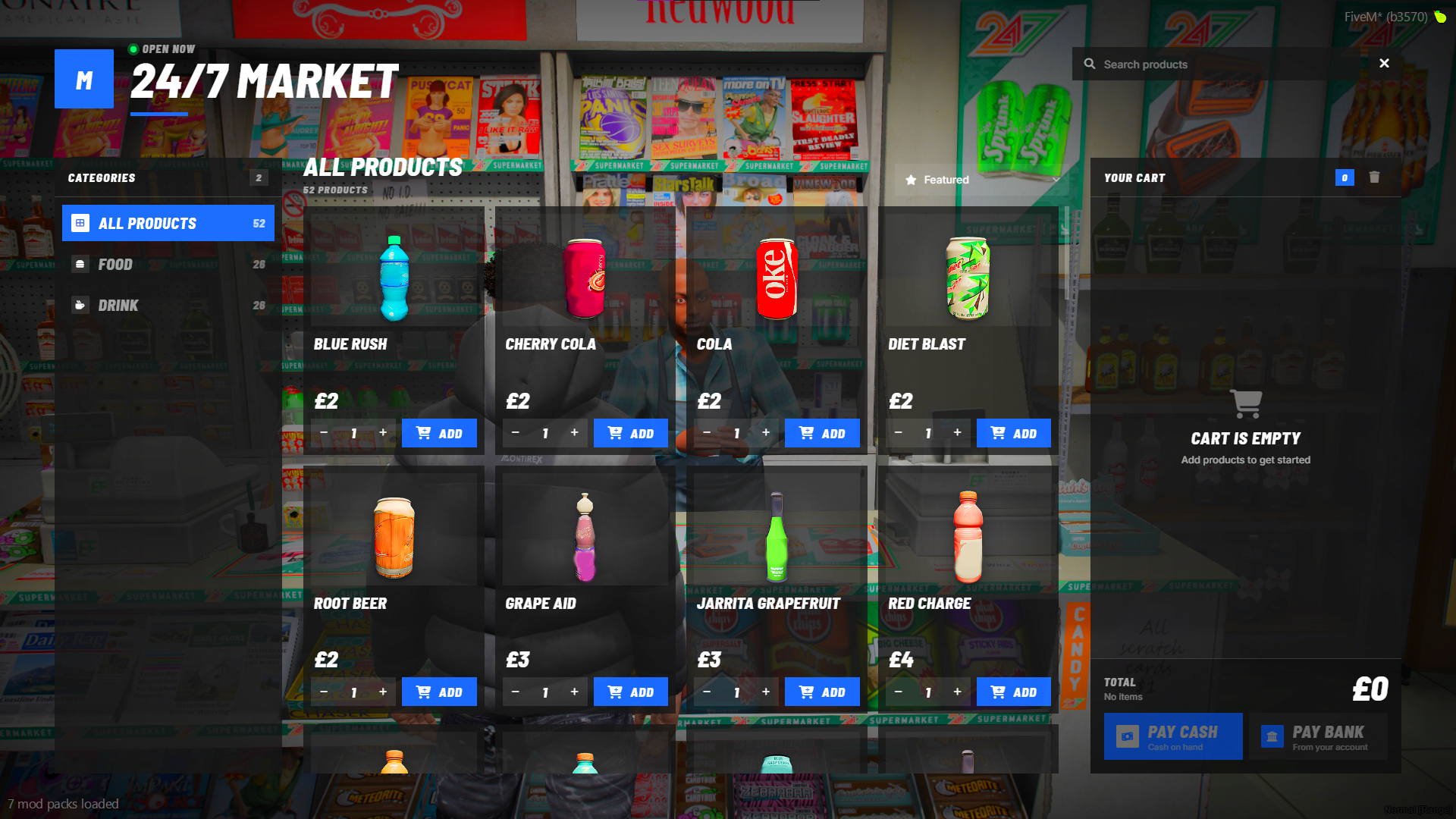
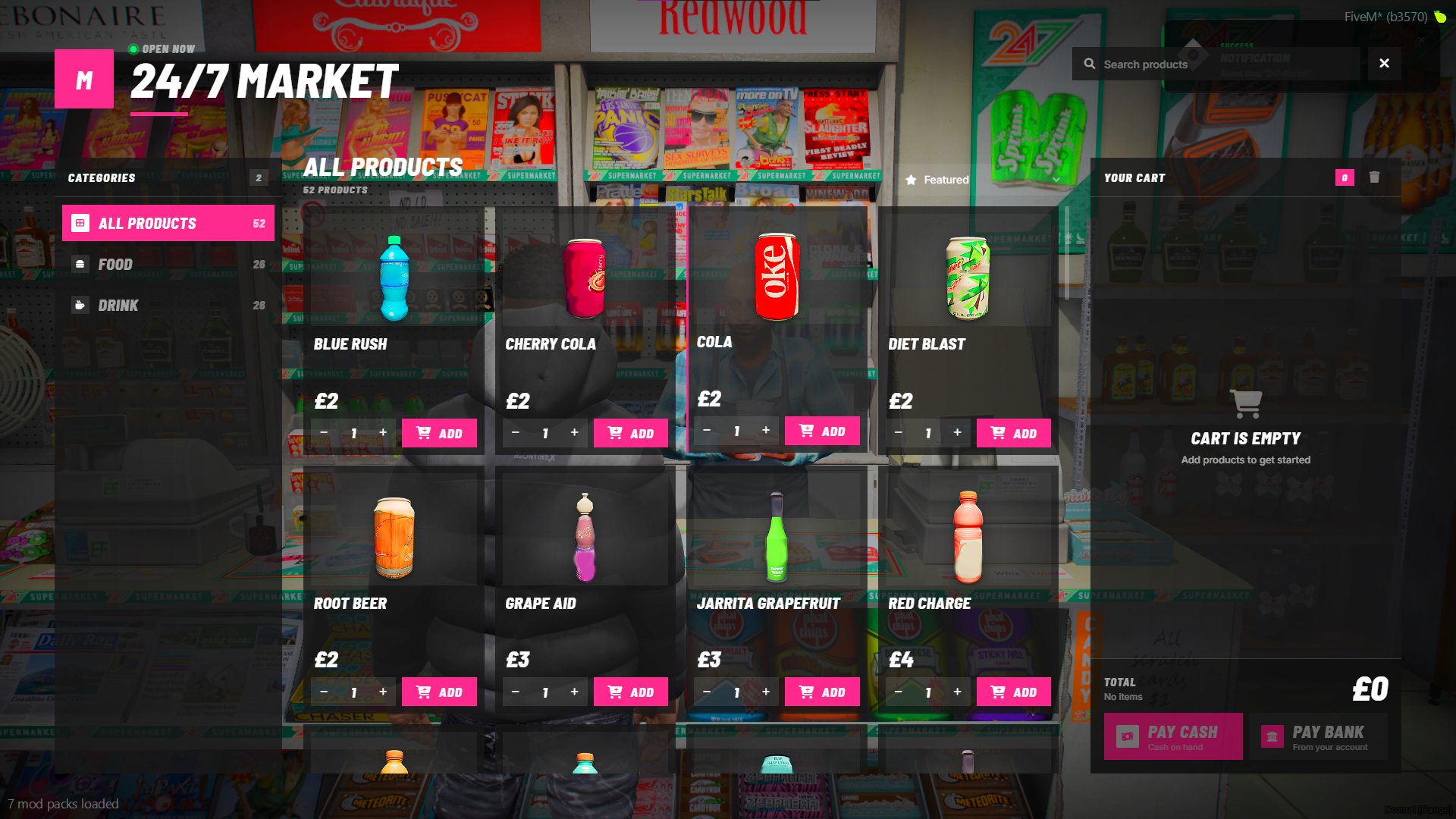
What you get
In-game Shop Builder (/shopbuilder)
- Create, edit and delete shops from one screen.
- Place the shopkeeper ped in the world, or snap it to your position.
- Pick the ped model, blip, colour theme, payment types and an optional job lock per shop.
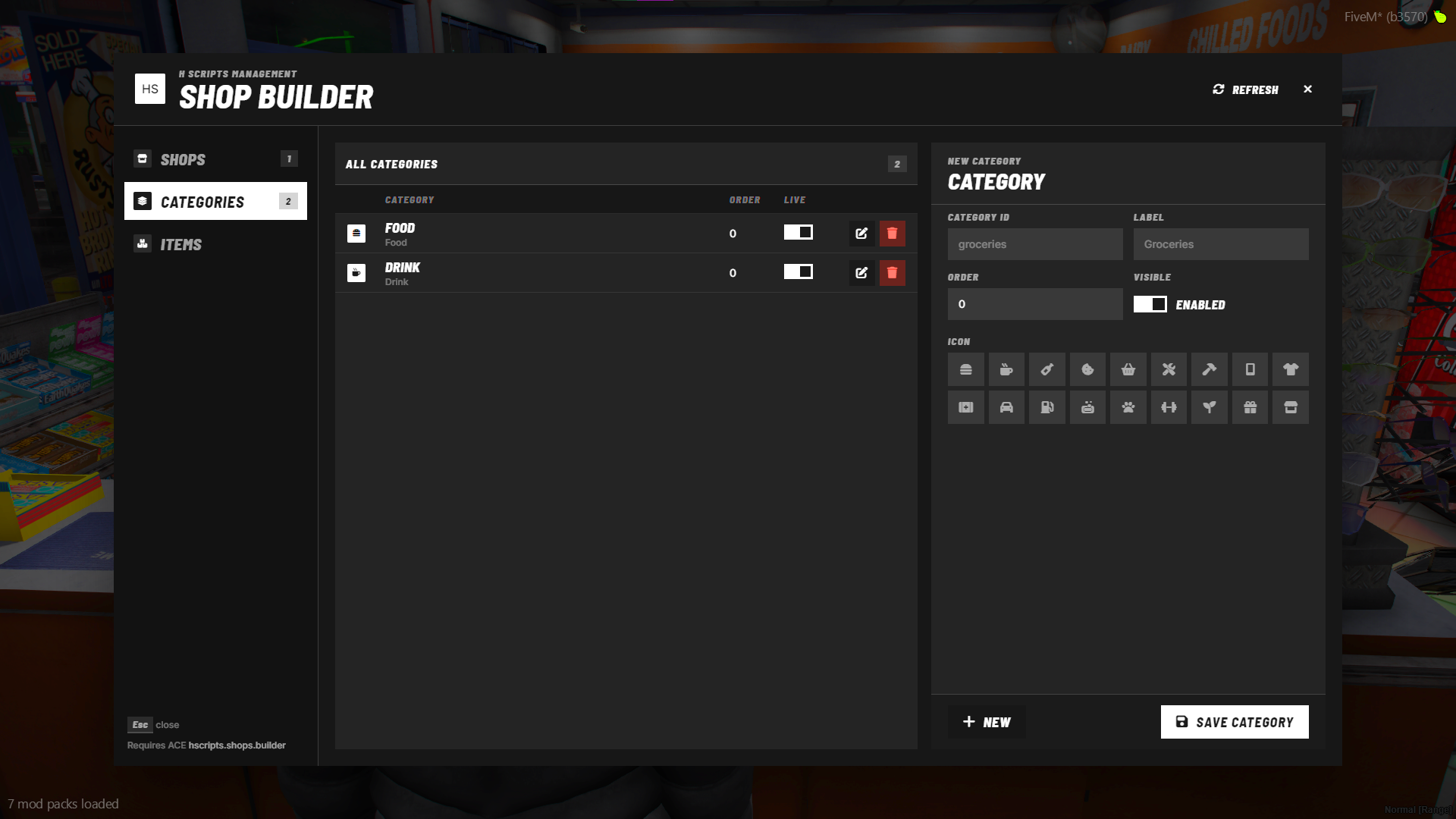
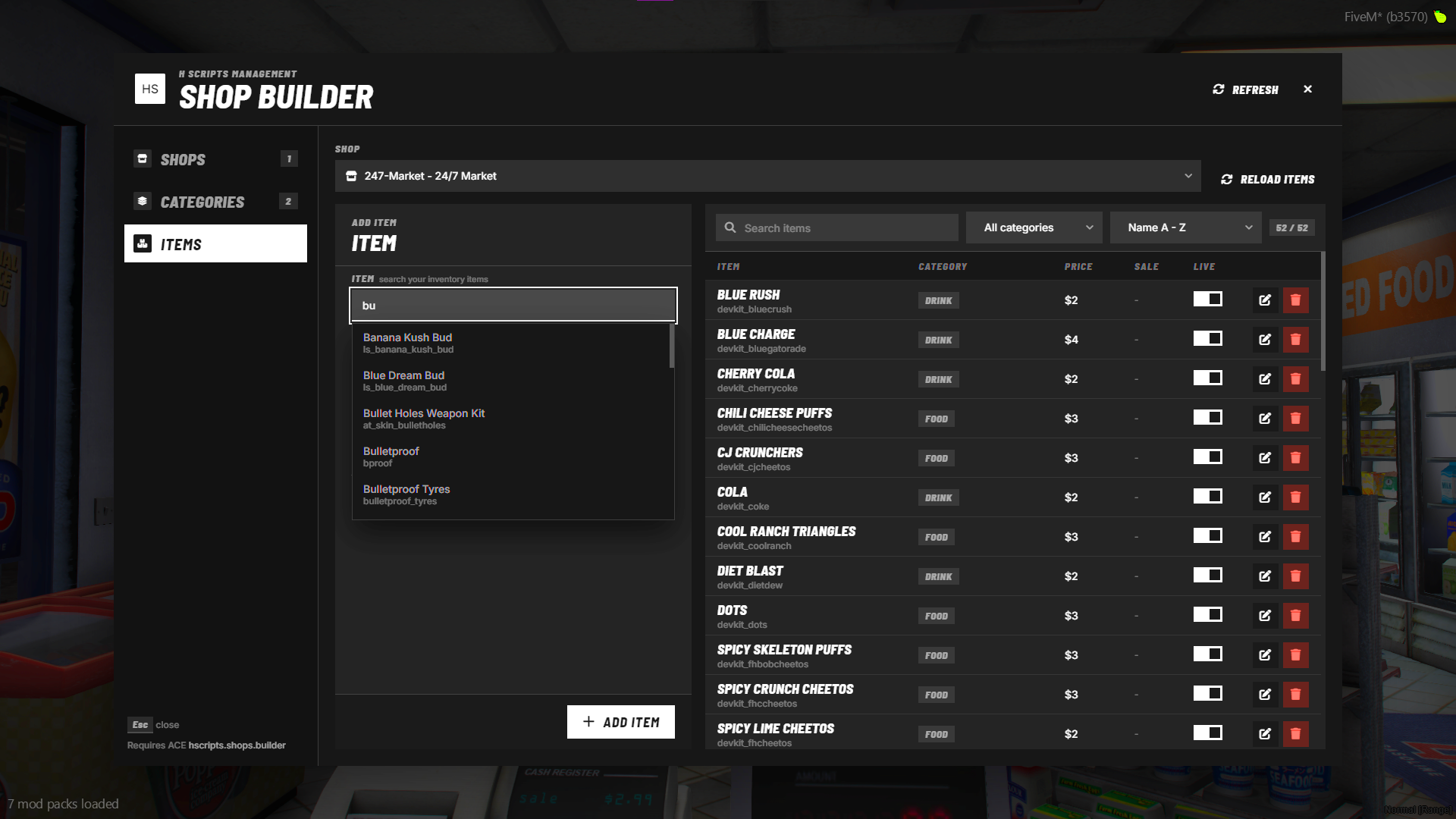
- Manage categories (label, icon, order, job lock, on/off) and per-shop items (price, sale %, image, on/off).
- Toggle items and categories live. Unsaved changes are flagged so you never lose work by clicking away.
Player shop UI
- Category rail, product grid, search and sort.
- Cart with item thumbnails and cash or bank checkout.
- Sale and stock badges on products.
- Each shop can have its own accent colour. Shops without a theme use the standard look.
- Fonts and icons ship with the resource, so there are no CDN calls.
Optional systems, switched on per shop
- Stock: server-side stock counts. Purchases use stock and roll it back if a purchase fails.
- Player-owned shops: players can buy a shop, its sales go into the shop’s balance, and the owner can withdraw it.
- Job locks: access is checked on the server, not just in the UI.
Security
- The server validates every cart: line count, quantity, total and price. Prices come from the database, so edited client requests don’t work.
- Purchases are rate-limited.
- With
ox_inventory, free capacity is checked before any money is taken. - Optional Discord webhook logs with player, identifier, payment type, total and items.
Compatibility
| Supported | |
|---|---|
| Framework (auto-detected) | Qbox, QBCore, ESX, Standalone |
| Inventory (auto-detected) | ox_inventory, qb-inventory, ps-inventory, qs-inventory |
| Interaction | ox_target, qb-target, or a text prompt if neither is installed |
Requires: oxmysql and ox_lib
Setup
- Drop
hscripts-shopsinto your resources folder. - Import
sql/hscripts_shops.sql. - Make sure
oxmysqlandox_libstart before it, thenensure hscripts-shops. - Give your admin group the builder permission:
add_ace group.admin "hscripts.shops.builder" allow
Then run /shopbuilder in-game and build your first shop.
Customisation
config.lua, client/bridge.lua and server/bridge.lua are open for editing. Use them for currency format, payment types, interaction style, ped behaviour, shop themes, inventory image paths, security limits and the bridges. The rest is escrowed.